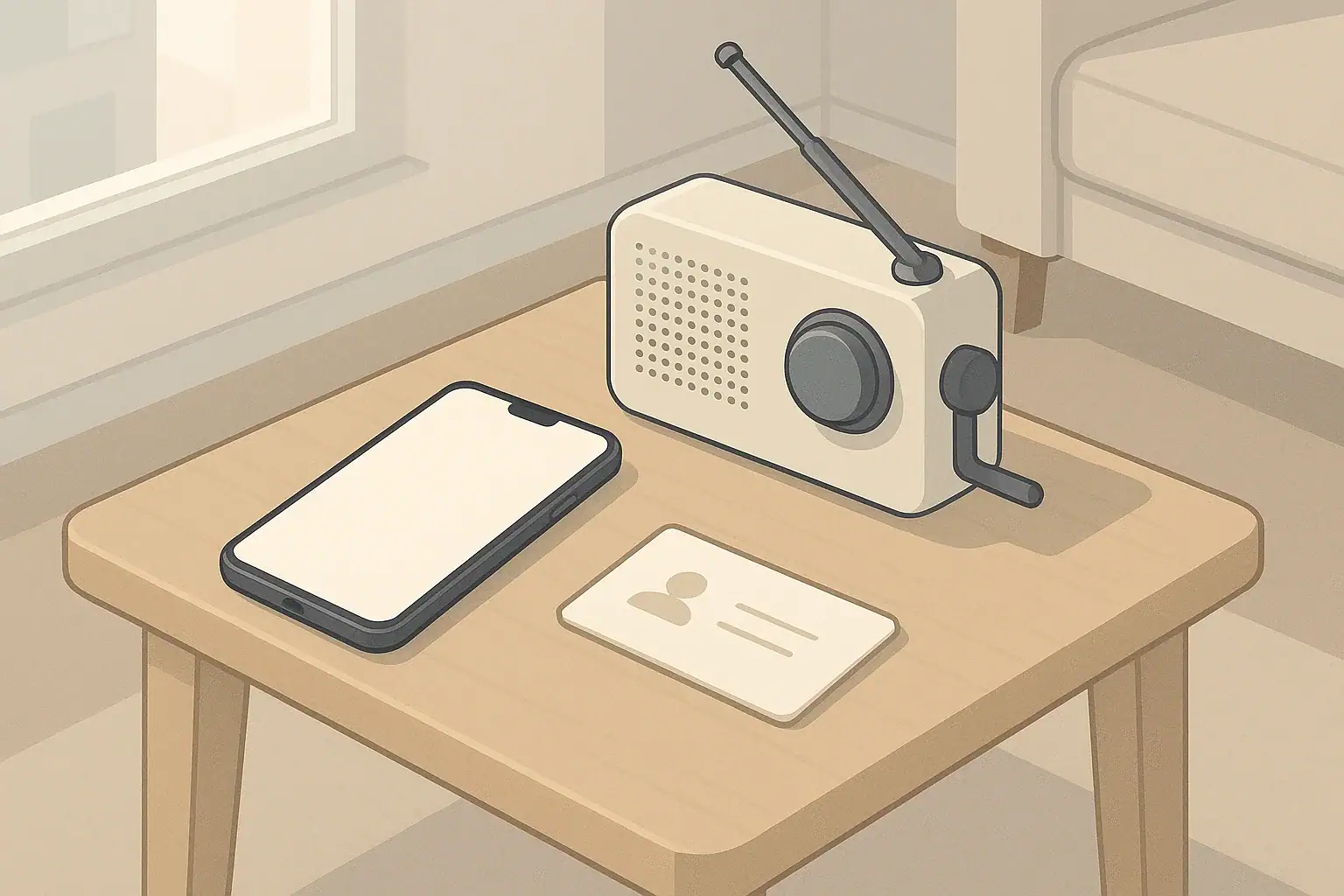
Most households rely heavily on phones and internet-based services for directions, contacts, and important records. During a power outage, network disruption, or dead battery, it becomes clear how much basic information lives only on devices.
Offline backups are simple, low-tech copies of essential information you might need to navigate, contact people, or manage your home when devices are not available. They do not require special gear and can fit into small spaces, making them practical for apartments, shared housing, and larger homes alike.
Creating offline backups supports realistic situations such as:
- Short power outages where you cannot charge your phone easily
- Storms that disrupt cell service or home internet temporarily
- Needing to leave home quickly without time to charge devices
- Family members who are not comfortable with apps or smartphones
The goal is not to duplicate your entire digital life. Instead, focus on a small set of maps, contacts, and reference information that would be most helpful during a few days of disruption.
Why Offline Backups Matter in Everyday Emergencies
Most households rely heavily on phones and internet-based services for directions, contacts, and important records. During a power outage, network disruption, or dead battery, it becomes clear how much basic information lives only on devices.
Offline backups are simple, low-tech copies of essential information you might need to navigate, contact people, or manage your home when devices are not available. They do not require special gear and can fit into small spaces, making them practical for apartments, shared housing, and larger homes alike.
Creating offline backups supports realistic situations such as:
- Short power outages where you cannot charge your phone easily
- Storms that disrupt cell service or home internet temporarily
- Needing to leave home quickly without time to charge devices
- Family members who are not comfortable with apps or smartphones
The goal is not to duplicate your entire digital life. Instead, focus on a small set of maps, contacts, and reference information that would be most helpful during a few days of disruption.
Core Pieces of an Offline Backup Kit
An offline backup kit can be as compact as a single folder or envelope. Keep it simple and focused so you are more likely to maintain it over time. For most homes, three categories cover the essentials: maps, contacts, and key information.
Paper Maps for Local Navigation
If you normally rely on map apps, a paper backup helps you find alternate routes, shelters, or relatives’ homes when signals are weak or batteries are low.
Consider keeping:
- Neighborhood or city map: Showing your home, major roads, hospitals, and main transit routes.
- Regional map: Covering nearby towns, common evacuation routes, and major highways.
- Transit map (if useful): A printed map of local bus, train, or subway lines you regularly use.
Mark a few important locations lightly in pencil so you can update them later if needed.
Printed Contacts and Communication Plans
Many people do not have important phone numbers memorized anymore. If your phone is lost, locked, or out of power, a printed list keeps you from feeling stuck.
Include:
- Household members: Mobile numbers and workplaces or schools.
- Nearby family and trusted friends: Especially those who could provide temporary housing or help with transportation.
- Out-of-area contact: A friend or relative in a different region who can serve as a check-in point if local lines are busy.
- Key services: Property management or landlord, building superintendent, utility customer service lines, and local non-emergency law enforcement number.
- Medical and care contacts: Pediatrician, primary care clinic, pharmacy, vet, and any regular caregivers.
Organize contacts in plain language (for example, “Aunt Maria – out-of-area check-in”) so anyone in the family, including older children or seniors, can understand whom to call and why.
Key Household Information to Keep Offline
Some information is helpful to have in hard copy so you can act quickly under stress, even if you cannot reach online records. Avoid printing highly sensitive data you do not need during short-term disruptions.
Helpful examples include:
- Basic household data: Names and birthdates of household members, allergies noted, and any special needs (mobility, communication, or equipment that requires power).
- Home access details: How to shut off water at the main valve, where electrical breaker panels are located, and gate or building access instructions for helpers.
- Pet information: Feeding routines, vet clinic contact, and any behavior notes helpful if someone else must care for them.
- School and childcare: Addresses, pickup rules, and approved adult contacts.
- Insurance and property basics: Policy numbers and claim phone numbers, plus a brief list of high-value items; avoid full account or payment details.
Focus on information that helps you make decisions or communicate clearly, not every detail that lives in your online accounts.
Example values for illustration.
| Task | Why it matters | Notes |
|---|---|---|
| Print local and regional maps | Navigate without GPS or data coverage | Highlight home, work, and main routes |
| Create a household contact list | Reach family and helpers if phones fail | Include cell, work, and landline numbers |
| List an out-of-area check-in person | Central point if local lines are busy | Agree how and when to check in |
| Write down school and childcare details | Avoid confusion around pickups and closures | Include address and main office number |
| Summarize utility shutoff locations | Faster response to leaks or electrical issues | Keep language simple and clear |
| Print basic pet and medical notes | Helps others assist in caring for your household | Avoid detailed records; keep it brief |
| Store documents in a dry folder | Prevents damage during minor water exposure | Consider a resealable plastic sleeve |
What to Include: Maps, Contacts, and Information
The exact contents of your offline backups will depend on your living situation, region, and household size. The following sections break down what is helpful for most people and how to tailor it.
Choosing Useful Paper Maps
When selecting or printing maps, prioritize clarity and coverage over fine detail. In many situations, you primarily need to recognize main roads and key landmarks.
Consider including:
- Driving routes: To work, school, regular medical providers, and likely evacuation routes.
- Walking routes: Safe, simple paths between home, transit stops, and nearby relatives or friends.
- Transit access points: Bus stops, subway stations, or park-and-ride lots you use most.
If you live in a region with specific seasonal risks, such as coastal storms or winter conditions, note which roads are typically main evacuation or plow routes, based on general local information and your own experience.
Designing a Practical Printed Contact Sheet
A printed contact sheet works best when it is short enough to read at a glance. Aim for one or two pages. Use large, clear text if anyone in the household has vision challenges.
Helpful sections include:
- Household: Names, mobile numbers, and common locations during the day (work, school, daycare).
- Emergency roles: An out-of-area contact and one local relative or friend designated as a meeting coordinator.
- Housing: Landlord or property management, building maintenance, and front desk if applicable.
- Services and utilities: Electric, gas, water, internet, and waste services customer lines.
- Care network: Doctors, pharmacies, home health agencies, and pet care providers.
It can be helpful to color-code sections with small marks or borders, but keep the content simple enough that anyone can follow it under stress.
Balancing Privacy and Practicality
Offline backups should be useful without creating unnecessary security or privacy risks. Avoid printing sensitive data that is unlikely to be needed during a short disruption.
Examples of information usually not necessary in offline form include:
- Full bank account and routing numbers
- Online account usernames and passwords
- Social Security numbers
- Detailed medical histories
Instead, focus on information like customer service phone numbers, policy numbers, and basic identifiers that help you access services or explain your situation if systems are down.
Where and How to Store Offline Backups
Once you assemble offline backups, storage matters. They should be easy to find, protected from common household hazards, and accessible to the people who might need them.
Home Storage Options
Most homes can support at least two copies: one primary set and one backup in a different area. Placement will vary by dwelling type.
Common options include:
- Central household folder: A clearly labeled folder or envelope in a drawer or cabinet everyone knows.
- Go-bag or backpack: A compact copy stored with your emergency kit for quick departures.
- Shared space in small apartments: A folder in a frequently used cabinet to avoid clutter while staying accessible.
- Vehicle copy (if applicable): A minimal set of maps and phone numbers stored out of direct sunlight and heat.
If you live in a multi-story building, consider how you would reach your backup materials if elevators are out or certain areas are temporarily inaccessible.
Protecting Against Water, Fire, and Loss
Offline backups do not have to be perfectly protected to be useful, but some simple steps can improve their durability:
- Use resealable plastic sleeves or envelopes to reduce water damage from minor leaks or spills.
- Store at least one copy away from plumbing fixtures or windows.
- Avoid stacking heavy items on top of your folder so it remains easy to grab.
- Keep backup copies minimal to reduce clutter and confusion about which version is current.
For important documents such as identification or insurance policies, you may choose to keep official originals in more secure storage and place photocopies or summaries in your offline backup kit.
For important documents such as identification or insurance policies, you may choose to keep official originals in more secure storage and place photocopies or summaries in your offline backup kit.
Accessibility for All Household Members
Offline backups are most effective when everyone knows where they are and how to use them. This is especially important for households with children, older adults, or people who may be at home alone sometimes.
Consider:
- Walking older children through the contact sheet and showing them how to dial numbers on a basic phone.
- Printing large-font versions of critical numbers for anyone with vision limitations.
- Using simple, clear language instead of abbreviations or codes.
- Labeling the folder or envelope with who should grab it if leaving home quickly.
A short, calm conversation and a quick walkthrough of the materials can make everyone more comfortable using them if needed.
Keeping Offline Backups Updated and Useful
Information changes over time as people move, change phone numbers, or switch providers. A small amount of maintenance keeps offline backups from becoming confusing or outdated.
Simple Update Schedule
Many households find it easiest to tie updates to existing routines rather than creating entirely new habits. You might:
- Review and update contact lists twice a year, such as when clocks change.
- Update maps and routes when you move, change jobs, or switch schools.
- Check key service numbers once a year, especially if you change utility or insurance providers.
Each time you update, quickly cross out old numbers, print a fresh sheet if needed, and discard clearly outdated copies.
Coordinating With Digital Backups
Offline backups work alongside, not instead of, digital tools. For many people, a simple approach is:
- Use your phone and cloud services for day-to-day convenience and detailed records.
- Maintain a compact offline set covering only high-value information for outages.
- Keep digital photos or scans of key documents in secure, backed-up storage as another layer of redundancy.
This layered approach offers flexibility: digital when available, offline when not.
Practicing With Your Offline Materials
Practice helps you notice missing information and get comfortable using maps and contacts without a phone. A short, low-stress practice can be simple:
- Plan a walk using only your printed neighborhood map.
- Have a family member use the contact sheet to call your out-of-area contact as a test (with their prior agreement).
- Ask everyone to find the utility shutoff notes in the folder and talk through what they describe.
Use these check-ins to adjust wording, layout, or content so the materials make sense to everyone, not just the person who assembled them.
Example values for illustration.
| Who to contact | Method | Fallback | Meeting point note |
|---|---|---|---|
| Household members | Call or text mobile phones | Leave written note at agreed spot | Primary: front of building or lobby |
| Out-of-area relative | Phone call when safe | Short voicemail or text update | They record who has checked in |
| Nearby friend | Text or call | Visit only if safe to travel | Secondary meeting spot if home unavailable |
| School or childcare | Main office phone line | Check official announcements later | Know standard pickup location |
| Landlord or building manager | Office or maintenance line | On-site staff or posted contacts | Confirm safe access to units |
| Utility provider | Customer service number | Non-emergency line if applicable | Ask about estimated restoration times |
| Pet care contact | Call or text | Alternate helper listed on sheet | Decide who can temporarily house pets |
Adapting Offline Backups to Different Living Situations
Every home is different. A compact apartment, a shared house, or a multigenerational household will each have distinct needs and constraints. The concepts remain the same, but the way you store and use offline backups may change.
Apartments and Small Spaces
In smaller homes, space is limited and storage choices matter. Consider:
- Using a slim folder that fits vertically in an existing file box or drawer.
- Keeping a single, well-organized packet instead of multiple copies.
- Attaching a brief instruction note on the front with who to contact first.
If you live in a building with shared entryways or elevators, include notes about stair access, alternate exits, and where meeting points are located outside the building.
Families With Children
For households with children, especially school-age, offline backups can help them feel more secure.
Options include:
- Creating a simplified, kid-friendly card with just two or three phone numbers and one meeting spot.
- Adding photos of trusted adults to help younger children recognize who may pick them up.
- Explaining in age-appropriate language when and how to use the contact list.
Keep children’s versions separate from the main folder so they can carry them in backpacks without needing the full packet.
Households With Seniors or Mobility Needs
For people who may spend more time at home or who have mobility considerations, offline backups can support caregivers and neighbors in helping safely.
Consider:
- Posting a small, discreet summary of key contacts in a common area such as the refrigerator or near a landline phone.
- Including a brief note about mobility aids, power-dependent equipment, and preferred transportation options.
- Sharing location of the full offline backup folder with at least one trusted neighbor or nearby family member.
The goal is to make it easier for others to coordinate support if needed, while still respecting privacy and comfort.
Pet Owners
Pets depend on their owners to plan ahead. Offline backups can help ensure they are not overlooked if routines are disrupted.
Helpful details include:
- Pet names, species, and basic descriptions.
- Feeding times and approximate amounts.
- Any behavior notes, such as fear of loud noises or need to avoid certain foods.
- Primary and backup caretakers with contact information.
These notes can be especially valuable if someone else must enter your home to care for pets when you are delayed or temporarily away.
Seasonal and Regional Considerations
Your region’s typical weather and infrastructure influence what information is most helpful offline.
- Winter storm areas: Include notes on local warming centers and main roads that are plowed first, based on your experience and general local information.
- Hurricane or coastal regions: Keep simple directions to higher ground or community shelters, along with inland contact addresses.
- Heat-prone areas: Note nearby cooling centers, libraries, or community centers that usually offer relief.
- Wildfire smoke–affected regions: Include information on local community spaces that typically remain open and better sealed, such as malls or libraries.
Update these notes periodically based on local announcements or your own observations of where services are typically offered.
Bringing It All Together Calmly
Offline backups are a quiet, straightforward way to make your home more ready for routine disruptions. A few printed pages, a simple map, and a clear contact plan help reduce stress when devices are unavailable or communication is temporarily difficult.
By focusing on realistic needs, keeping materials small and manageable, and revisiting them occasionally, you create a resource that supports you, your household, and anyone helping you during short-term challenges.
Authoritative sources
Safety recommendations can change. Confirm critical details with current official guidance and local authorities.
- USDA FSIS: Keep Food Safe During Emergencies
- U.S. CPSC: Battery Safety
- Ready.gov: Preparedness Tips for People with Disabilities
Frequently asked questions
How often should I update my printed contact list and paper maps?
Review contact lists and maps at least twice a year and any time someone moves, changes numbers, or you change routines like work or school. Tie updates to existing habits (for example, daylight saving time changes) to make them easier to remember. Replace clearly outdated copies rather than keeping multiple conflicting versions.
What essential documents are safe and useful to keep in an offline backup without creating privacy risks?
Keep customer service phone numbers, brief insurance policy identifiers, photocopies or summaries of ID, and basic household medical notes like allergies. Avoid printing full bank account details, passwords, Social Security numbers, or detailed medical histories. Focus on information that helps you access services or explain your situation during short-term disruptions.
How can I protect paper backups from water, fire, and loss while keeping them accessible?
Store a working copy in a resealable plastic sleeve or dry folder and keep at least one backup in a different location away from plumbing and windows. For important originals, consider a fire-resistant safe or secure off-site storage, while keeping photocopies in your kit. Avoid placing vehicle copies in direct sunlight or where temperatures regularly become extreme.
What are practical ways to make offline backups usable for seniors or children?
Use large, clear text and plain language, and create simplified cards for children with just two or three numbers and a meeting spot. Post a brief contact summary in an easy-to-find spot (like the refrigerator) and walk household members through using the materials. Practice simple drills so everyone feels comfortable using the maps and contact sheets under stress.
Is it useful to keep a copy of offline backups in my car, and what should it contain?
A minimal vehicle copy can help if you leave home without your main kit; include local maps, key phone numbers, and an out-of-area contact. Keep the set small and stored out of direct sunlight to reduce heat damage, and update it periodically to match your main kit. Avoid leaving sensitive documents in a car for extended periods.
- Simple checklists and realistic planning
- Water, power, lighting, and pantry basics
- Family plans (kids, pets, seniors) and seasonal prep
Affiliate disclosure
As an Amazon Associate, we earn from qualifying purchases. Some links on this site may be affiliate links. If you buy through these links, we may earn a small commission at no extra cost to you. This helps support our content. Learn more.