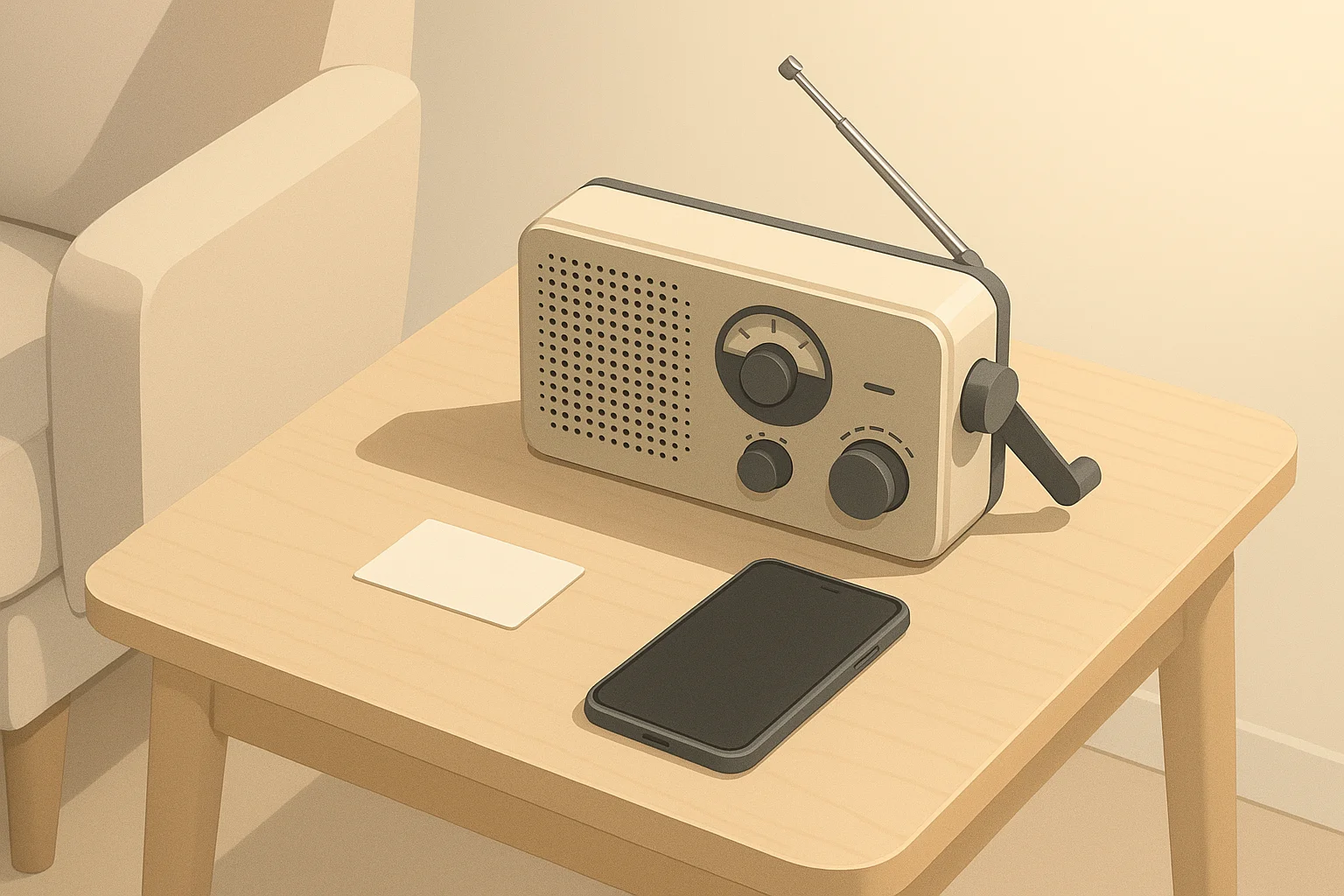
Why Emergency Radios Still Matter for Home Readiness
When power or cell service fails, an emergency radio is one of the simplest ways to stay informed. It does not depend on your home internet, phone battery, or local cell towers the way most modern alerts do. That makes it a useful backup for short-term disruptions like storms, high winds, ice, or regional power outages. In the United States, emergency broadcasts are sent over standard radio bands through the Emergency Alert System (EAS) and the NOAA Weather Radio (NWR) network. A basic emergency radio lets you hear these alerts and ongoing information about storm tracks, evacuation guidance, and recovery updates. For everyday households, an emergency radio is not about extreme scenarios. It is about practical, calm readiness for events like:- Thunderstorms and lightning that knock out power for a few hours
- Winter storms that make roads unsafe for a day or two
- Hurricanes or tropical storms where forecasts and timing change quickly
- Wildfire smoke or air quality concerns affecting outdoor plans
- Heatwaves and grid strain where rotating outages are possible
Types of Emergency Radios and Key Features
Emergency radios come in a few main types. You do not need an advanced model for basic readiness. Focus on bands, power options, and ease of use.Radio Bands to Look For
Most household emergency needs are covered if your radio can receive:- AM band: Longer-range news and talk stations; often easier to receive at night or in rural areas.
- FM band: Local news, public radio, and community stations; usually clearer sound nearby.
- NOAA Weather Radio (NWR): Continuous weather information and weather-specific alerts in many parts of the U.S.
Power and Charging Options
Emergency radios typically support one or more of these power methods:- Replaceable batteries (often AA or AAA): Simple, familiar, and easy to store extras.
- Built-in rechargeable battery: Can be charged from wall power, power banks, or solar panels that provide USB output.
- Hand-crank dynamo: Lets you generate power briefly when no outlets or batteries are available.
- Solar panel (usually small): Helpful for slow topping-up in good light; not a fast charging method on its own.
Useful Everyday Features
Optional features can make an emergency radio easier to use, especially for families, older adults, or in low light:- Built-in flashlight: Useful in hallways or bedrooms during outages.
- Simple controls: Big dials or buttons are easier to use in the dark.
- Headphone jack: Helpful in shared spaces or apartments at night.
- Weather alert mode: Some radios can stay in standby and sound a tone when a weather alert is broadcast.
| Home situation | Radio priority | Why it may help |
|---|---|---|
| Apartment with limited storage | Compact AM/FM + weather band | Saves space while still giving key alerts and local news. |
| Family with young kids | Simple controls + flashlight | Easy to operate in the dark; one device for light and updates. |
| Rural area with spotty cell service | Strong AM reception + batteries | More reliable access to regional stations when phones fail. |
| Hurricane or coastal region | Weather band + alert mode | Faster notice of changing forecast tracks and warnings. |
| Senior living alone | Large display or dial, clear speaker | Improves usability and reduces confusion during outages. |
| Frequent short power outages | Rechargeable + AA backup | Use daily charging but fall back to replaceable batteries. |
Setting Up Your Emergency Radio Before You Need It
An emergency radio is most useful if you set it up in calm conditions and make it part of your regular routine. A few minutes of preparation now prevents confusion during a storm or nighttime outage.Find Reliable Stations in Your Area
Start by identifying at least one local AM and one local FM station that provide news or public information. In many regions, public radio or local news stations carry emergency updates and official announcements. Then check whether you can receive a NOAA weather radio channel. In many places, this will sound like a steady voice providing forecasts, watches, and warnings. If reception is poor in one room, move around your home to see where the signal is clearest. Once you find reliable stations:- Write the frequencies on a small card and keep it with the radio.
- If your radio has presets, save the main stations you trust.
- Show all household members how to tune to these stations.
Positioning the Radio in Your Home
Choose a primary location where you can reach the radio quickly in the dark, such as:- A central hallway or living room shelf
- A bedside table if you live alone or in a small apartment
- A known “home base” location for your household emergency kit
Testing Weather Alert Features
If your radio includes a weather alert mode, read the manual and test it on a calm day. Typical steps include:- Selecting the weather band.
- Activating the alert or standby mode.
- Adjusting the volume so tones are noticeable but not overwhelming.
Make It Part of a Simple Routine
The more familiar you are with the radio, the less stressful it feels during an outage. Some ways to build it into normal life:- Use it occasionally for music or news to stay comfortable with the controls.
- Practice finding your main stations once every few months.
- Show kids or other family members how to turn it on and change volume.
Battery Planning and Power Strategies for Emergency Radios
Emergency radios require very little power compared with appliances, but planning ahead matters. A simple, written battery plan ensures your radio is ready when the lights go out.Estimate How Long You Might Need the Radio
Consider common outages in your region:- Urban and suburban areas: Often face outages lasting a few hours to a day.
- Rural areas: Some storms can cause multi-day outages, especially in winter.
- Hurricane or ice storm zones: Certain events can last several days, though utilities work to restore power as quickly as possible.
Replaceable Battery Planning
If your radio uses AA or AAA batteries, keep extras stored in a cool, dry place. A simple approach is:- Store at least one full extra set of batteries dedicated to the radio.
- Label them for emergency use only to avoid accidental everyday use.
- Check and rotate them about once a year, using older ones in remotes or toys.
Rechargeable Battery and Power Bank Strategies
Many modern emergency radios contain an internal rechargeable battery. Treat this battery like the one in your phone:- Top it off before a forecast storm or extreme weather event.
- Avoid leaving it completely empty for long periods.
- Once or twice a year, fully charge and briefly test the radio.
Hand-Crank and Solar Use: What to Expect
Hand-crank and small solar panels are helpful backups, but they work best when expectations are realistic:- Hand-crank: A few minutes of cranking often provides enough power for short listening periods or a quick weather update.
- Built-in solar: Can slowly top up the battery in good sun, but usually does not fully charge a radio quickly.
Simple Written Battery Plan
Writing down your plan helps you use power calmly instead of guessing during an outage. A basic plan might include:- Where spare batteries are stored.
- How often you intend to turn the radio on for updates.
- Which device (radio or phone) gets priority for your power bank.
- When you will switch from normal use to conservation mode (for example, if an outage lasts longer than 12 hours).
Integrating Emergency Radios into Your Communication Plan
An emergency radio is one piece of a broader home communication plan. It helps you receive information, but you also need a way to stay in touch with family and decide what to do with the information you receive.Home and Family Communication Basics
Even in short-term disruptions, it helps to agree on simple guidelines ahead of time:- Primary contact method: Usually text messages, which often work when calls do not.
- Backup method: A landline, neighbor check-in, or agreed meeting spot if mobile networks are overloaded.
- Out-of-area contact: A relative or friend in another region who can act as a message relay if local lines are busy.
Using the Radio During Specific Events
The way you use your radio may vary depending on the situation. Winter storms and ice: Focus on updates about road conditions, power restoration, and warming centers if they are mentioned. This helps you decide when to travel or whether to stay home. Hurricanes and tropical storms: Before the storm, listen for changes in track, timing, and local guidance. During and after the storm, pay attention to flooding information, curfews, and reminders about downed lines or unsafe areas. Heatwaves and high demand on the grid: Local stations may share rotating outage schedules, cooling center locations, and reminders about conserving power. This can help you plan when to run high-use appliances or charge devices. Wildfire smoke and air quality: Radio updates may include information about smoke movement, advisories about staying indoors, or guidance on outdoor activities. This can be useful when air quality apps or websites are slow or unavailable.Keeping Information Calm and Actionable
In any event, aim for calm, limited listening rather than constant monitoring. A practical rhythm might be:- Turn the radio on at the top of the hour for five to ten minutes.
- Listen for official updates and key instructions.
- Turn it off, note any actions you will take, and go back to other tasks.
| Who to contact | Primary method | Fallback | Meeting point note |
|---|---|---|---|
| Household members at home | Face-to-face check-in | Note left at agreed spot | Decide on one main room to gather in outages. |
| Family within the same city | Text message | Short voice call | Choose an easy-to-find landmark if phones fail. |
| Out-of-area relative | Phone call when available | Email when internet returns | Let them know you will update them after major storms. |
| Neighbor who may need help | Brief door knock | Note on their door | Check when it is safe and practical, especially after storms. |
| Work or school | Official hotlines or recorded messages | Radio updates for closure info | Confirm closure or reopening before traveling. |
| Emergency services | Phone call for urgent needs | Follow radio guidance | Use radio to learn about shelters or local assistance points. |
Keeping Your Emergency Radio Ready Over the Long Term
Once your radio is chosen, set up, and integrated into your plans, the final step is simple upkeep. This does not need to be time-consuming.Quick Seasonal Checkups
A short check at the start of each season can keep your radio dependable:- Turn it on and tune to your main stations.
- Confirm the weather band still comes in clearly, if available.
- Test the flashlight or alert tone if those features exist.
- Inspect batteries for any sign of leakage and replace if needed.
Storage and Safety Tips
Store your radio in a dry area away from direct heat sources. If you live in a flood-prone zone, consider keeping it on an upper shelf rather than in a low cabinet. If you keep it in a backpack or go-bag, protect it from heavy objects that could press against buttons or damage the antenna. For homes with children, show them how to respect the radio as a shared tool. Let them practice using it under supervision so it feels familiar, but remind them it should be put back in its place after use.Adapting as Your Household Changes
Over time, your needs may shift. You might move from an apartment to a house, add a family member, or care for an older relative. Periodically ask whether:- The radio is still in the most convenient location.
- Everyone who needs to can reach and operate it.
- Your written station list and communication card are up to date.
Related guides: Two-Way Radios for Families: When They Help (and When They Don’t) · Sump Pump Backup Options: Planning for Basement Flood Risk.
Authoritative sources
Safety recommendations can change. Confirm critical details with current official guidance and local authorities.
- U.S. CPSC: Battery Safety
- CDC: Guidelines for Cleaning Safely After a Disaster
- Ready.gov: Preparedness Tips for People with Disabilities
Frequently asked questions
How do NOAA Weather Radio alerts differ from Emergency Alert System (EAS) broadcasts, and how should I use both with my emergency radio?
NOAA Weather Radio focuses on continuous weather information and weather-specific alerts, often using SAME codes for targeted warnings; the Emergency Alert System rebroadcasts a broader range of urgent messages via AM/FM/TV. Use NOAA for real-time weather watches and warnings and monitor trusted AM/FM stations for wider community or infrastructure alerts. If your radio supports weather alert mode, enable it to receive automatic tones for NOAA warnings and keep presets for local AM/FM stations as a backup.How long will different power sources typically keep an emergency radio running during intermittent use?
Replaceable AA/AAA batteries can provide many hours to multiple days of intermittent listening depending on the radio’s efficiency and how often you power it on; a single set used conservatively often covers dozens of short check-ins. Built-in rechargeable batteries usually support several hours to a day of intermittent use and can be extended with a power bank. Hand-crank mechanisms typically produce a few minutes of listening per several minutes of cranking, so they are best for short updates rather than continuous use.Can a small solar panel reliably keep an emergency radio charged during an extended outage?
Small solar panels can slowly top up a radio’s battery in good sunlight but are rarely sufficient as the sole power source for extended outages. Their effectiveness depends on panel size, sunlight availability, and the radio’s charging circuitry. Use solar as a supplemental option alongside stored batteries or a charged power bank for reliable long-term coverage.Where is the best place to position an emergency radio in a multi-story home to ensure I receive weather alerts promptly?
Place the radio in a location you can reach quickly in the dark, such as a central hallway, main living area, or a bedside table for those sleeping upstairs; accessibility matters more than technical perfection. Test reception in different rooms and choose a spot where NOAA or local AM/FM stations come in clearly. Keep a small card with trusted frequencies and store spare batteries nearby.How often should I test the weather alert feature and rotate batteries to keep my emergency radio reliable?
Test the radio and its weather alert function at least once every season and run a full charge cycle of rechargeable units once or twice a year. Rotate replaceable batteries about once a year and label emergency spares to avoid everyday use. Also top off the internal battery before predicted storms and practice brief usage sessions so household members know how to operate the device during an outage.About
ReadyHomePlan
ReadyHomePlan publishes practical home readiness guides for outages and short-term emergencies—power, water, food basics, communication, and family planning—without hype.
- Simple checklists and realistic planning
- Water, power, lighting, and pantry basics
- Family plans (kids, pets, seniors) and seasonal prep
Affiliate disclosure
As an Amazon Associate, we earn from qualifying purchases. Some links on this site may be affiliate links. If you buy through these links, we may earn a small commission at no extra cost to you. This helps support our content. Learn more.