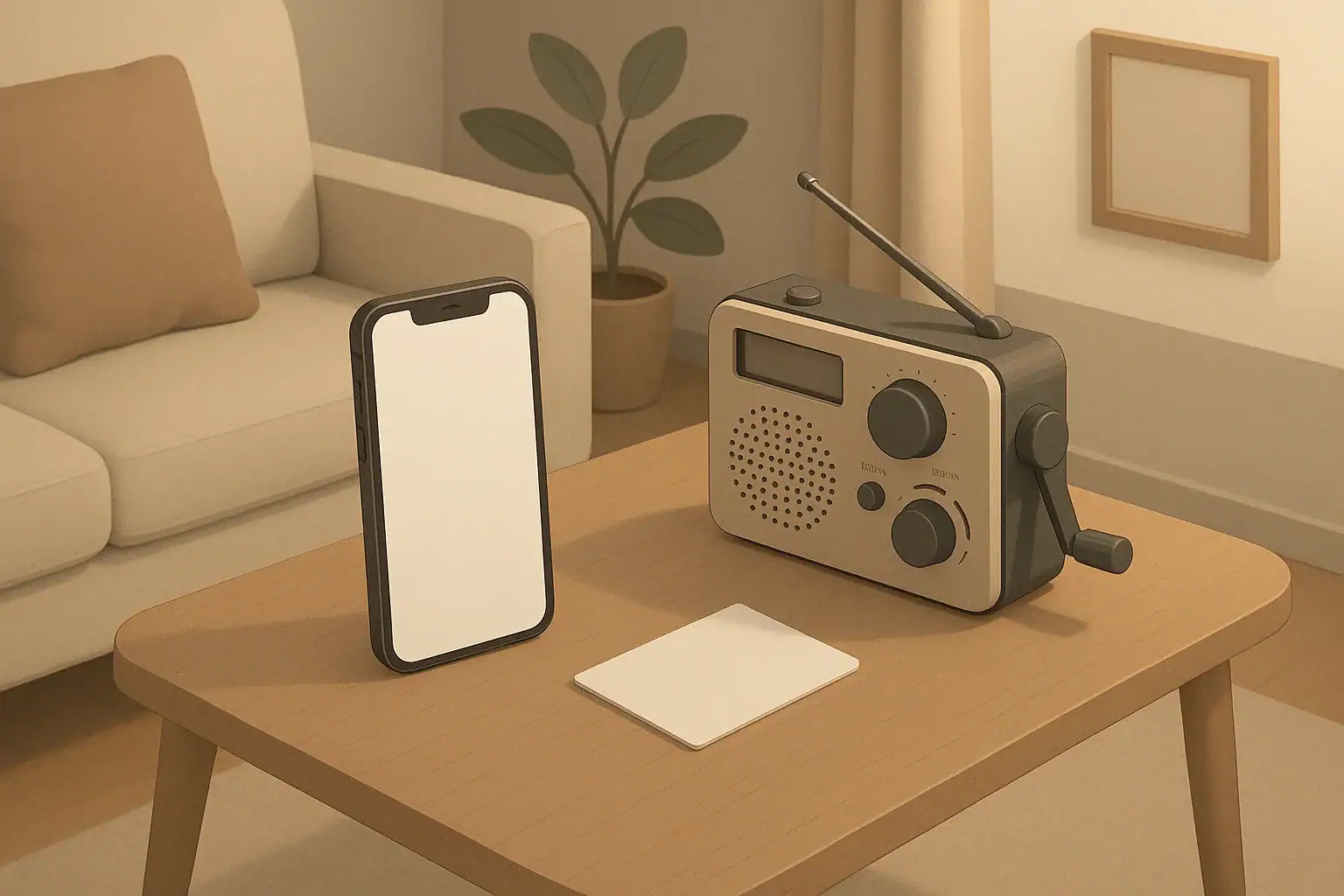
When the power goes out or cell service is spotty, a simple neighborhood communication tree can keep everyone informed without adding stress. It is a basic contact-and-check-in plan: who calls whom, in what order, and for what kinds of updates.
This kind of plan is useful in many everyday situations, such as:
- Short power outages from storms or grid issues
- Localized water service disruptions on your street
- Extreme heat or cold when checking on seniors or vulnerable neighbors matters
- Wildfire smoke days when people stay indoors and may need help
Instead of everyone guessing what is happening, a communication tree shares basic, verified information and quick status checks. It works in apartments, townhomes, and single-family homes, and it can be adapted for renters who may move more often.
The goal is not to create a complex emergency system. It is to make sure neighbors know how to reach each other, especially people who may need extra support, and to reduce confusion during short-term disruptions.
Why a Neighborhood Communication Tree Helps During Outages
When the power goes out or cell service is spotty, a simple neighborhood communication tree can keep everyone informed without adding stress. It is a basic contact-and-check-in plan: who calls whom, in what order, and for what kinds of updates.
This kind of plan is useful in many everyday situations, such as:
- Short power outages from storms or grid issues
- Localized water service disruptions on your street
- Extreme heat or cold when checking on seniors or vulnerable neighbors matters
- Wildfire smoke days when people stay indoors and may need help
Instead of everyone guessing what is happening, a communication tree shares basic, verified information and quick status checks. It works in apartments, townhomes, and single-family homes, and it can be adapted for renters who may move more often.
The goal is not to create a complex emergency system. It is to make sure neighbors know how to reach each other, especially people who may need extra support, and to reduce confusion during short-term disruptions.
Basic Principles of a Neighborhood Communication Tree
A neighborhood communication tree does not have to be formal or complicated. A few simple principles make it work smoothly, even if people are busy or communication tools are limited.
Keep the Structure Simple
Most neighborhood trees follow a basic pattern: one or two coordinators gather information, then share updates with a small group of neighbors, who pass the message on to others. This spreads information quickly without overwhelming any one person.
Common structures include:
- Single tree: One coordinator at the top, each person contacts two or three others.
- Clustered tree: Small clusters (for example, a hallway, building floor, or side of the street), each with a cluster contact.
- Hybrid: A text or group chat for quick notes, backed up by a call tree for those without smartphones.
Use Multiple Communication Methods
Outages and storms can affect phones, internet, and power differently. Build more than one option into your tree so people are not cut off if one method fails.
- Primary: text messages, group chats, or phone calls
- Backup: landline numbers if available, or calls from a charged backup battery phone
- Last resort: in-person door knocks, especially for people who may not see phone messages
Share Only Helpful, Calm Information
To keep the tree useful and low-stress, agree on what to share:
- Utility updates and estimated restoration times from official sources
- Local conditions (for example, “elevator out,” “water pressure low,” “traffic lights down”)
- Basic needs requests (for example, “Does anyone have a spare flashlight?”)
- Check-ins for seniors, families with small children, and people with mobility challenges
Avoid speculation and rumors. If something is not confirmed, label it clearly as unconfirmed or choose not to forward it.
Example values for illustration.
| Task | Why it matters | Notes |
|---|---|---|
| Identify 1–2 coordinators | Prevents confusion over who sends updates | Choose people who are often home and comfortable texting or calling |
| Map who lives where | Makes sure no apartment or house is overlooked | Use a simple list by unit number, floor, or house number |
| Collect preferred contact methods | Respects privacy and increases response rates | Let people choose text, call, group chat, or door knock |
| Note special considerations | Helps prioritize checks on those who may need extra support | Examples: mobility limits, medical devices that rely on power |
| Agree on what to share | Reduces rumor spreading and unnecessary worry | Focus on utility info, safety notices, and basic needs |
| Decide on a backup plan | Keeps communication working if phones or internet are down | Plan for door checks or a central bulletin spot |
Step-by-Step: Setting Up Your Communication Tree
You can create a basic neighborhood communication tree over a weekend, then refine it over time. Adjust these steps to fit your building, block, or small community.
Step 1: Define the Area and Purpose
Start by keeping the coverage area small and manageable. Examples include:
- One apartment building or a specific floor
- One side of a residential street
- A cluster of townhomes or duplexes that share utilities
Agree on the main purpose: outage updates, welfare checks during storms, and sharing simple resources (such as extra batteries or safe water containers).
Step 2: Recruit a Few Neighbors
Talk with a couple of neighbors who are comfortable coordinating or relaying messages. You do not need a formal role, just a shared understanding:
- Who will collect contact information
- Who will send initial outage updates
- Who can check on people who may not respond by phone
If your building has a manager or resident coordinator, let them know you are organizing a simple communication plan. They may help distribute sign-up forms or share official updates.
Step 3: Collect Contact Information Safely
Gather only what is necessary and explain clearly how it will be used. Typical details include:
- Name and unit or house number
- Preferred contact: text, phone call, group chat, or door knock
- Alternate contact (optional): second phone number or a relative nearby
- Any notes a neighbor chooses to share, such as “uses powered medical equipment” or “has small children”
Store this information in a simple, accessible way:
- A printed contact sheet kept in a safe place
- A shared document that a few responsible neighbors can access
- A photo of the list saved on your phone and printed as a backup
Remind neighbors that the list is only for outage and disruption-related updates, not general marketing or unrelated messaging.
Step 4: Draw the Tree
Create a simple chart that shows who contacts whom. You can:
- Assign each neighbor to check on two or three others
- Group neighbors by floor, entryway, or side of the street
- Include both a primary and backup contact for each person if possible
Keep the design low-tech so it works during power or internet loss. A hand-drawn diagram or list is often enough.
Step 5: Decide Triggers and Frequency
Agree in advance when the tree should be activated and how often check-ins occur. Common triggers include:
- Power outage affecting multiple homes
- Water supply interruption or boil-water notice
- Severe weather warning with expected impacts, such as ice, heavy snow, or high winds
- Air quality alerts from wildfire smoke or dust
For a typical outage, neighbors might agree to:
- Send an initial message or knock within the first hour
- Follow up every few hours if the disruption continues
- Pause late at night unless there is a clear safety concern
Step 6: Test the System
Before you rely on the tree in a real outage, do a low-key test:
- Send a scheduled message such as a weekend check-in
- Time how long it takes for the message to reach everyone
- Ask for feedback on clarity, frequency, and preferred channels
Use this test to adjust the number of people each person contacts and to confirm that backup methods work for neighbors without smartphones.
Tools and Backups for Communication During Outages
A neighborhood communication tree works best when a few basic tools are ready before an outage. You do not need specialized equipment, but planning for limited power or spotty coverage makes the system more dependable.
Phone and Power Basics
Phones are usually the first choice for updates. To keep them working longer in an outage:
- Keep phones charged when severe weather is forecast.
- Use low-power modes and dim screens to extend battery life.
- Limit video calls and streaming, which drain batteries faster.
- Consider basic backup power sources, such as a small battery pack, and use them mainly for essential communication.
Alternative Communication Options
If cellular or internet service is limited, other options can help:
- Landlines: Some landlines may continue to work when the power is out, depending on the system.
- Battery-powered or hand-crank radios: These can provide official utility and weather updates when internet access is down.
- Door-to-door checks: A simple knock and short conversation can be the most reliable method, especially for seniors or people who keep phones off.
Printed Information and Message Spots
When lights, phones, and internet are limited, clear written notes can keep the tree organized.
- Create a printed contact list and share it with the coordinators.
- Agree on a central message spot, such as a lobby bulletin board or a covered area by a mailbox cluster.
- Use large, easy-to-read notes with dates and times, such as “Water main repair – service expected later today (posted 3 PM).”
Written notes help people who missed earlier calls or texts catch up on the current situation without repeated messages.
Adapting the Tree for Different Homes and Neighbors
Every neighborhood is different. A downtown apartment tower and a suburban street will organize a communication tree in different ways. Adapting to your setting and the people who live there makes the system more practical.
Apartment Buildings and Condos
In multi-unit buildings, it is usually helpful to organize by smaller groups:
- Assign a floor contact for each floor or wing.
- Focus on stairwells, elevators, and shared utilities in status updates.
- Coordinate with building staff for official notices about power, water, and elevators.
Consider accessibility needs: power outages can affect elevator use, hallway lighting, and automatic doors. Make sure your tree includes a plan for checking on residents who might have difficulty using stairs.
Single-Family Homes and Townhouses
On a street or in a small neighborhood of houses, you might:
- Divide the block into small sections, each with a contact person.
- Use simple street maps or house number lists to track who has been reached.
- Agree on a visible but weather-safe place to post community messages, such as a shared notice board or sheltered porch area.
For severe weather or seasonal events, such as winter storms or hurricanes, neighbors can also share practical observations, including fallen branches, icy sidewalks, and which grocery stores or gas stations appear to be open.
Renters and Short-Term Residents
Renters and short-term residents face more frequent moves and may not feel as settled. Still, they can benefit from and contribute to a communication tree.
- Keep sign-up simple and optional, with a quick explanation of the purpose.
- Provide a one-page overview that new residents can receive with their lease or move-in packet.
- Avoid long-term expectations; focus on short-term readiness for the building or block.
Even a few months of participation can help maintain continuity as other neighbors come and go.
Supporting Seniors and People with Disabilities
Some neighbors may be more affected by outages, especially those who:
- Use powered mobility devices or lifts
- Rely on refrigerated medications
- Have limited vision or hearing
- Have difficulty navigating stairs in low light
With their permission, note preferred contact methods and any key considerations on the communication list. Offer to:
- Check in more frequently during extended outages
- Help with simple tasks like locating flashlights or moving items to cooler areas of the home
- Share information about known warming or cooling centers if local authorities provide those details
Always respect privacy and independence. The goal is to make assistance available, not to pressure anyone into sharing information they do not want to share.
Practice, Maintenance, and Seasonal Check-Ins
A neighborhood communication tree is not a one-time project. Light, regular attention keeps it accurate and trusted so it is ready when an outage happens.
Schedule Simple Check-Ins
Choose a few times a year to refresh your tree, such as:
- Before winter storm season in colder regions
- Before hurricane season in coastal areas
- Before peak heat months in hotter climates
During these check-ins, you can:
- Confirm phone numbers and preferred contact methods
- Welcome new neighbors and explain the tree
- Review any lessons learned from recent outages
Review What Worked After an Outage
After a power loss or water disruption, a short, calm review can improve the system:
- Was everyone contacted within a reasonable time?
- Did any contact methods fail or take too long?
- Were messages clear and concise?
- Did anyone feel overwhelmed by the number of calls or texts?
Adjust the tree based on this feedback: you might reduce the number of people each neighbor contacts, or change how often updates are sent during an extended outage.
Keep Expectations Realistic
A communication tree does not replace emergency services, utility companies, or local authorities. It is a way for neighbors to stay connected, share basic information, and coordinate simple help. Keeping expectations modest helps everyone feel comfortable participating, without pressure to be constantly available.
Example values for illustration.
| Who to contact | Method | Fallback | Meeting point note |
|---|---|---|---|
| Floor or block coordinators | Text message with brief status update | Phone call if texts are not delivered | No in-person meeting unless safety issue is reported |
| Neighbors with smartphones | Group chat or individual text | Short phone call for key points only | Optional: lobby check-in during daytime if elevators work |
| Neighbors without smartphones | Direct phone call | Door knock by assigned neighbor | Agree on hallway or porch spot to share written notes |
| Seniors living alone | Quick check-in call at agreed times | In-person visit if no response and safe to do so | If needed, meet near building entrance for better lighting |
| Families with young children | Concise text updates, avoid frequent late-night calls | Door note if phones are off | Outdoor meeting spot only if weather and conditions allow |
| Whole group summary | End-of-event message when service is restored | Printed notice on central board | No group gathering required; review at next seasonal check-in |
Keeping Communication Calm and Useful
A neighborhood communication tree works best when it keeps people informed without amplifying worry. Focus on clear, brief messages, realistic expectations, and respect for privacy and boundaries. Over time, neighbors become more familiar with the process, making each future outage or disruption a little easier to navigate together.
By starting small, using simple tools, and adjusting as you learn, your block or building can build a steady, low-stress way to stay connected when the lights go out.
Authoritative sources
Safety recommendations can change. Confirm critical details with current official guidance and local authorities.
- US EPA: Emergency Disinfection of Drinking Water
- U.S. CPSC: Battery Safety
- CDC: Guidelines for Cleaning Safely After a Disaster
Frequently asked questions
How can we protect neighbors’ privacy when collecting contact information for a neighborhood communication tree?
Collect only the minimum details needed (name, unit/house number, and preferred contact method) and explain the limited purpose of the list. Store the list in a secure place or share it with only a few trusted coordinators, and allow neighbors to opt out or remove their information at any time.
How often should a neighborhood communication tree be updated and tested?
Schedule light updates at least twice a year and after known turnover in the building or block, such as seasonal check-ins before winter or summer. Run one low-key test each year or after significant changes to confirm contact methods and backup plans still work.
What is the best way to reach neighbors who don’t use smartphones during an outage?
Assign a nearby volunteer to make direct phone calls to landlines and perform door knocks as a last resort. Also agree on a visible, weather-protected message spot (for example, a lobby board or covered mailbox area) where dated written notices can be posted so people without phones can see updates.
Who should serve as coordinators for a neighborhood communication tree, and how many do we need?
One or two coordinators are usually sufficient: choose neighbors who are frequently available and comfortable sending updates by your chosen methods. Always name at least one backup coordinator to cover vacations, illness, or power loss so the tree remains functional.
How can the communication tree avoid spreading rumors or unverified information?
Agree in advance that messages should rely on official utility or agency updates when available, and label any unconfirmed reports clearly as unverified. Keep messages concise, limit what is forwarded, and encourage neighbors to check back with coordinators before amplifying uncertain claims.
- Simple checklists and realistic planning
- Water, power, lighting, and pantry basics
- Family plans (kids, pets, seniors) and seasonal prep
Affiliate disclosure
As an Amazon Associate, we earn from qualifying purchases. Some links on this site may be affiliate links. If you buy through these links, we may earn a small commission at no extra cost to you. This helps support our content. Learn more.