Storm season often brings short power outages, downed lines, and uncertain timelines for repairs. For many homes, the first priorities during an outage are simple: light, phone charging, and keeping a few small devices running. A USB rechargeable battery station can handle much of this without taking up much space or budget.
Instead of relying only on disposable batteries or large backup power units, a USB-centered setup focuses on small, reusable power sources. These are easy to charge ahead of a storm, simple to store, and practical for apartments, rental homes, and small spaces.
USB rechargeable batteries and devices are especially useful because:
- They charge from common phone chargers, power banks, or small power stations.
- They work with familiar devices like flashlights, lanterns, headlamps, and radios that accept USB or standard battery sizes.
- They reduce the number of different chargers and cables you need to manage.
Having a clear charging routine before storm season means you do not rush at the last minute or drain your only power source on a single device.
Why a USB Rechargeable Battery Station Matters Before Storm Season
Storm season often brings short power outages, downed lines, and uncertain timelines for repairs. For many homes, the first priorities during an outage are simple: light, phone charging, and keeping a few small devices running. A USB rechargeable battery station can handle much of this without taking up much space or budget.
Instead of relying only on disposable batteries or large backup power units, a USB-centered setup focuses on small, reusable power sources. These are easy to charge ahead of a storm, simple to store, and practical for apartments, rental homes, and small spaces.
USB rechargeable batteries and devices are especially useful because:
- They charge from common phone chargers, power banks, or small power stations.
- They work with familiar devices like flashlights, lanterns, headlamps, and radios that accept USB or standard battery sizes.
- They reduce the number of different chargers and cables you need to manage.
Having a clear charging routine before storm season means you do not rush at the last minute or drain your only power source on a single device.
Core Pieces of a USB Rechargeable Battery Station
A USB rechargeable battery station is less about owning specialized gear and more about how you arrange and use what you already have. The goal is a small, organized spot where you can charge, store, and track your most important batteries and low-power devices.
Typical Components
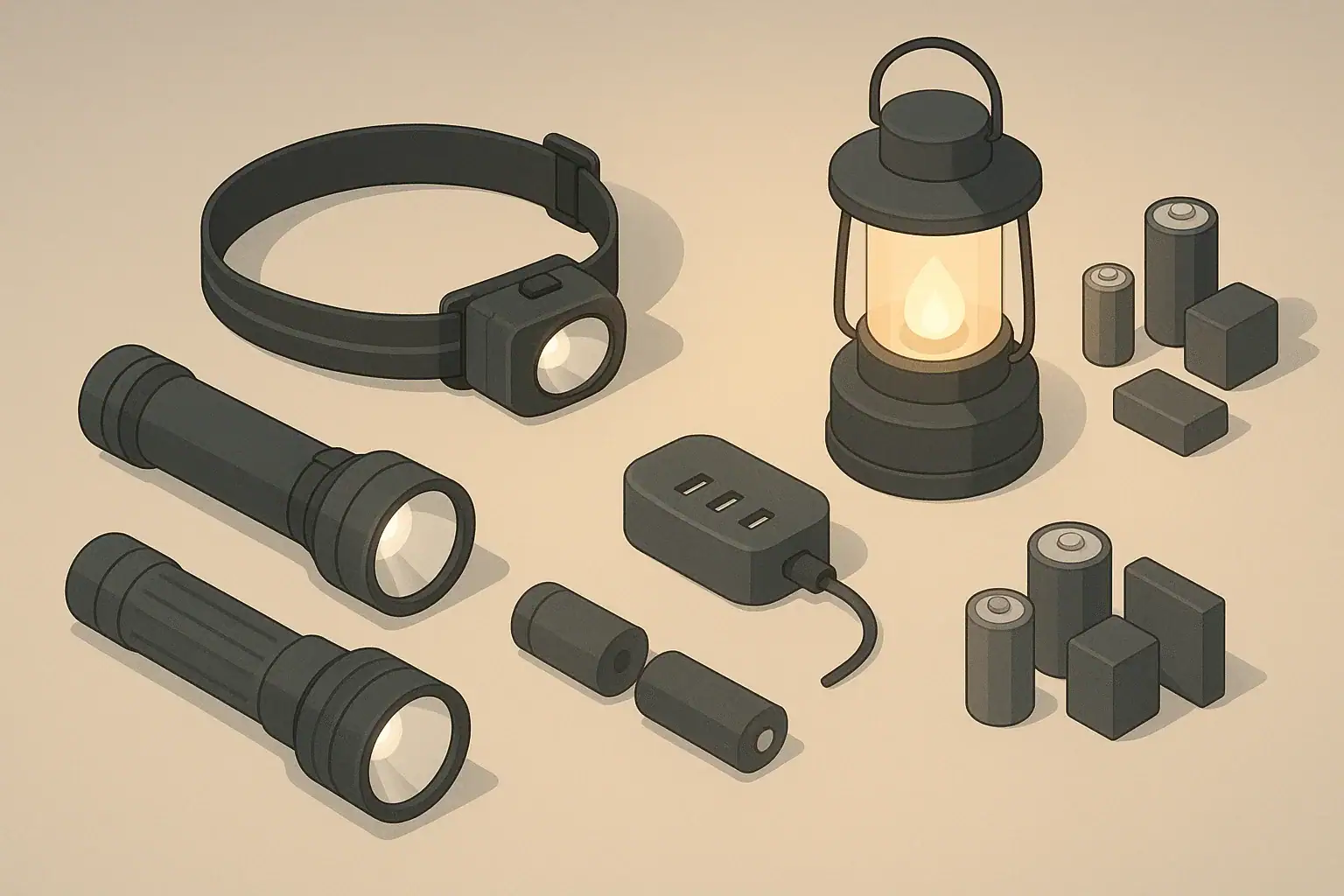
Many households can build a station using items they already own, plus a few additions if needed. Common components include:
- USB charging hub or multi-port adapter to power several items at once.
- Rechargeable AA/AAA batteries with a USB-capable charger for flashlights, small lanterns, and remotes.
- USB power banks (small to medium size) dedicated to storms and outages.
- USB-rechargeable flashlights or headlamps for hands-free light.
- USB lanterns or clip-on lights for rooms and hallways.
- Short USB cables (various connector types) labeled or color-coded.
- Simple organizer such as a box, drawer insert, or small caddy.
Location and Storage Considerations
Choose a spot that is easy to access in the dark and away from water or heat sources. Many people use:
- A shelf near the kitchen or entryway.
- A hallway table or closet shelf.
- A drawer with a simple divider system.
For families with kids or pets, consider a higher shelf out of reach but still easy for adults to find. For seniors, focus on a well-lit, low-reach location to avoid stepstools and bending.
Example values for illustration.
| Task | Why it matters | Notes |
|---|---|---|
| Pick a central station location | Makes items easy to find during an outage | Choose a dry, visible shelf or table |
| Gather all USB cables and label them | Reduces confusion when power is out | Color tape or small tags work well |
| Assign one power bank per person | Helps manage phone and flashlight charging | Mark with initials for clarity |
| Set up a battery storage box | Keeps charged and empty batteries separate | Use two sections: “charged” and “to charge” |
| Identify at least two light sources per room | Allows safe movement at night | Mix lanterns, flashlights, and headlamps |
| Test each USB light and device | Catches dead batteries before a storm | Check switches, ports, and brightness |
| Post a simple charging order guide | Helps everyone know what to charge first | Phone, light, then extras |
Building a Calm, Repeatable Pre-Storm Charging Routine
A repeatable routine helps you prepare without rushing. It also makes it easier for other household members to help. You can think of it as a checklist you use whenever a significant storm is in the forecast.
Step 1: Top Off Your Everyday Devices
Start with the devices you use daily and rely on during an outage:
- Charge all phones to full.
- Charge tablets, especially if you plan to use them for kids’ entertainment when the power is out.
- Charge laptops if you may need them for work or offline documents.
Once these are full, unplug them from the station to free up ports for backup power items.
Step 2: Charge Power Banks and USB Lights
Next, focus on the devices that extend your runtime during an outage:
- Plug in all power banks and allow enough time to reach full charge.
- Charge USB lanterns and flashlights until their indicator lights show completion.
- Test at least one light per room in the evening to confirm brightness and placement.
If you have limited outlets, rotate items through in batches, starting with the essentials: phone power banks, primary lanterns and key headlamps.
Step 3: Recharge AA/AAA Batteries for Critical Devices
AA or AAA batteriesMany homes still rely on AA or AAA batteries for flashlights, small radios, and other accessories. When using USB-capable chargers or USB-rechargeable cells:
- Identify which devices must work during an outage (for example, a small radio or a nightlight in a hallway).
- Insert freshly charged batteries into these devices and store a second set in the “charged” section of your station.
- Place any partially drained batteries in the “to charge” section so they are not confused with full ones.
This quick organization step reduces the chance of grabbing a low battery when the lights are already out.
Prioritizing Devices During Limited Charging Time
Not every storm allows a full 24–48 hours of preparation. If you only have a few hours of reliable power, prioritizing what to charge can make the difference between a manageable outage and a frustrating one.
Essential vs. Nice-to-Have Devices
Consider grouping your devices into three tiers:
- Tier 1: Essentials – Phones, primary lanterns, headlamps for each adult, and a radio if you use one.
- Tier 2: Helpful – Extra lanterns, kids’ nightlights, and a small fan if heat is a concern and you have a power bank that can support it.
- Tier 3: Comfort – Tablets, portable speakers, and other entertainment or convenience items.
Focus your limited charging time on Tier 1 first. Once those are full or nearly full, move to Tier 2 as time allows.
Assigning Power Banks and Lights by Person
In families or shared households, clarity reduces stress during an outage. One approach is:
- Assign a specific power bank and light to each adult or older child.
- Store kids’ items in their rooms but charge them at the central station.
- Keep one “house” lantern in a known central spot, such as the kitchen or living room.
This simple assignment makes it less likely that one person ends up with all the charged devices while others have none.
Apartment, Small Space, and Renter-Friendly Setups
Not everyone has space for large backup power systems or a closet full of supplies. A USB rechargeable battery station is particularly well suited to apartments and small homes because it is compact and flexible.
Compact Station Ideas
For small spaces, consider:
- Shoe box organizer: Divide a shoe box or small bin into sections for cables, power banks, and lights.
- Drawer insert: Use a kitchen or desk drawer organizer to separate batteries, chargers, and devices.
- Wall-mounted pocket organizer: Hang near an outlet and keep cables, lights, and small power banks in labeled pockets.
All of these options can live in shared spaces without looking like specialized emergency gear.
Noise and Neighbor Considerations
In multi-unit buildings, consider how your charging routine impacts others:
- Avoid charging items that use loud fans or buzzing transformers late at night.
- Use shorter cables to keep the station tidy and reduce tripping hazards in shared areas.
- If your building has shared outlets in hallways or laundry rooms, avoid relying on them for essential charging just before a storm, as they may be in use or unavailable.
Storm Season Routine for Families, Kids, Pets, and Seniors
A USB battery station can support practical comfort and safety for different household members, not just the person managing the plan.
Planning for Kids
For children, the focus is usually on gentle lighting and simple entertainment:
- Assign each child a small, easy-to-hold flashlight or nightlight with rechargeable batteries.
- Preload a tablet with offline books, games, or shows and charge it fully before a forecasted storm.
- Explain where backup lights are stored and practice turning them on.
This reduces anxiety if lights go out at night and gives kids some control over their own light source.
Planning for Seniors
For older adults in the home, emphasize ease of use and fall prevention:
- Place simple, one-button lanterns or nightlights in frequently used areas like hallways and bathrooms.
- Use large, stable lanterns instead of small, easily tipped flashlights.
- Keep chargers and cables in a consistent location and avoid tangles that could become trip hazards.
If a senior lives alone, ensure they know how to use their primary flashlight or lantern and how to plug in their phone to a power bank if needed.
Planning for Pets
Pets can be startled by sudden darkness or unfamiliar sounds during storms. Your USB station can indirectly help:
- Use a lantern or soft light near pet feeding and water areas to keep them comfortable.
- Keep a small flashlight by the door for safe leashed walks during low light if it is safe to go outside.
- Store pet carriers and leashes near your station so you can find them quickly with a light.
Care, Rotation, and Off-Season Maintenance
A USB rechargeable battery station works best when items are maintained gradually over time, not just before storms. A simple schedule can keep gear ready with minimal effort.
Monthly or Seasonal Checks
Consider setting a reminder every one to three months during storm season, and at least once in the off-season, to:
- Top off power banks and run them briefly to keep them active.
- Recharge USB lanterns and flashlights and test their switches and brightness.
- Inspect cables for fraying, loose connectors, or bent plugs.
- Rotate rechargeable AA/AAA batteries: use them in everyday devices, then recharge and return to the station.
This light rotation helps avoid surprises when you need your gear most.
Safe Charging Habits
Basic electrical safety matters, especially when charging several items at once:
- Avoid overloading a single power strip or outlet with too many high-draw devices.
- Charge on hard, non-flammable surfaces where devices can dissipate heat.
- Unplug devices once fully charged, especially if you will be away or asleep.
When storms are nearby, consider finishing your last charging cycle before the most intense weather arrives, in case of power fluctuations.
Example values for illustration.
| Lighting type | Battery type | Pros and cons | Storage tip |
|---|---|---|---|
| Small flashlight | AA or AAA rechargeable | Easy to carry; may be dimmer on low charge | Keep one by each bed in a drawer |
| Headlamp | USB-rechargeable or AAA | Hands-free; small buttons can be hard to use | Store near front door for quick access |
| Room lantern | USB-rechargeable pack | Lights larger areas; uses more power | Keep in central room on a stable surface |
| Clip-on nightlight | Small USB battery | Soft light for kids or hallways | Attach to bed frame or shelf |
| Task light for cooking | USB-rechargeable | Focused beam; may need frequent recharging | Store in kitchen drawer with utensils |
| Porch or entry light substitute | Power bank + small USB light | Helps at doorway; avoid leaving in rain | Bring indoors when not in use |
Putting Your USB Battery Station Into Regular Use
Once your USB rechargeable battery station is set up, weave it into everyday life so it stays familiar and functional. Use it to charge flashlights after camping trips, power banks after travel, or lanterns used on the patio. Each everyday use is a small practice run for storm season.
When a storm watch or warning appears, return to your simple, practiced charging routine: top off phones, fill power banks, charge lights, and confirm that every person has access to a light source and a way to charge a phone. Over time, these steps become quick habits instead of stressful last-minute tasks.
Related guides: Battery Testing Schedule: How to Check Lights Before Storm Season · Glow Sticks in Emergency Kits: When They Help and When They Don’t.
Authoritative sources
Safety recommendations can change. Confirm critical details with current official guidance and local authorities.
- U.S. CPSC: Battery Safety
- CDC: Guidelines for Cleaning Safely After a Disaster
- Ready.gov: Preparedness Tips for People with Disabilities
Frequently asked questions
How long should I charge power banks and USB lanterns before a storm?
Charging times vary by device capacity and charger, so charge until the device’s full indicator shows completion. Small USB lanterns often take 2-8 hours, while medium power banks commonly require 4-12 hours; high-capacity banks may need longer. Start charging when a storm is forecast and top off again if time allows.
Is it safe to leave USB rechargeable batteries and power banks plugged in all the time?
Continuous charging is not recommended because prolonged trickle charging can shorten battery lifespan and may produce heat. Unplug devices once they reach full charge when practical, and follow the manufacturer’s guidance for long-term storage and maintenance.
How many power banks and what capacity should I keep in my USB rechargeable battery station?
Aim for at least one dedicated power bank per person so everyone can charge a phone or key device. For phones, a 10,000 mAh bank typically provides one to three full phone charges depending on the phone, so consider 10,000-20,000 mAh for longer outages and keep at least one smaller bank reserved for lights or accessories.
Can I use USB-rechargeable AA/AAA cells in any device and how should I store them?
Use NiMH rechargeable AA/AAA cells in devices designed for those sizes and avoid mixing rechargeable cells with disposable batteries or mixing cells of different charge levels in the same device. charged and depleted batteries Store charged and depleted batteries separately in labeled compartments at room temperature and away from moisture.
How can I charge multiple items without overloading an outlet or creating a fire risk?
Use a quality multi-port USB charger or a power strip with a known wattage rating and keep the total load below the circuit’s capacity, avoiding simultaneous use of high-draw appliances on the same outlet. Charge on hard, non-flammable surfaces, inspect cables regularly, and unplug items when fully charged to reduce risk.
- Simple checklists and realistic planning
- Water, power, lighting, and pantry basics
- Family plans (kids, pets, seniors) and seasonal prep
Affiliate disclosure
As an Amazon Associate, we earn from qualifying purchases. Some links on this site may be affiliate links. If you buy through these links, we may earn a small commission at no extra cost to you. This helps support our content. Learn more.