Why Backup Power Matters for Smart Locks and Security Devices
Modern home security relies on more than doors and deadbolts. Smart locks, Wi-Fi cameras, video doorbells, and alarm hubs all depend on electricity and, often, an internet connection. During a power outage, these devices can lose key features such as remote access, notifications, and recordings.
You can still stay secure without electricity by locking doors and windows and using basic lighting. But a simple backup power plan helps you:
- Keep smart locks responsive so you are not locked out
- Maintain recording and alerts from key cameras
- Keep an alarm hub or base station online
- Run your home internet modem and router for remote access and communication
- Charge phones to coordinate with family or neighbors
This article focuses on practical, calm preparation for typical U.S. power outages: storms, grid maintenance, heatwaves, or short-term emergencies. It covers both houses and apartments, with ideas for renters and people in small spaces.
How Smart Security Devices Behave During Outages
Understanding how your devices react when the power goes out makes backup planning easier. Most smart locks and security devices fall into a few common patterns.
Smart Locks
Many smart locks run mainly on internal batteries. They may keep working for a while during a power outage, but with some limitations:
- Local access usually still works: You can often lock and unlock at the door using a keypad, key, or thumbturn.
- Remote access may fail: If your Wi-Fi or hub loses power, app-based control and notifications can stop.
- Battery life varies: Cold weather, frequent use, or motorized deadbolts can drain batteries faster.
Some smart locks offer a physical key override. Others may allow temporary power via a small external battery. Check your lock’s manual so you know your options before an outage.
Cameras and Video Doorbells
Security cameras and video doorbells rely on both power and network connectivity:
- Wired cameras and doorbells: Typically turn off when house power fails, unless they are wired to a backup-equipped system.
- Battery-powered cameras: Keep recording for as long as their internal battery lasts, especially if they use low-power motion recording.
- Cloud features: Often depend on Wi-Fi and internet. Without your modem and router, remote viewing and cloud storage may pause.
For short outages, built-in batteries may be enough to keep basic recording going. For longer ones, pairing cameras with a modest backup power system can help.
Alarm Hubs, Sensors, and Sirens
Many alarm hubs and base stations already have a small internal backup battery. Typical behavior:
- Hubs: May stay powered for several hours, maintaining local sensor monitoring.
- Door/window sensors: Often run on coin or small batteries and continue to function.
- Sirens and keypads: May work as long as the hub has power and connectivity to them.
To keep remote alerts and professional monitoring (if you use it), you often need backup for your internet modem and router as well.
Example values for illustration.
| If your situation is… | Consider this backup type… | Why it may fit |
|---|---|---|
| Small apartment, few devices | Single small battery backup for modem/router and hub | Keeps core security and internet online in tight spaces |
| Renting with no wiring changes allowed | Portable power station | No installation, can move between rooms or take when moving |
| Family home with several cameras | Multiple outlet battery backup plus small power station | Covers network gear and key cameras for longer |
| Frequent short outages | Uninterruptible power supply (UPS) | Smooths brief power cuts without manual intervention |
| Concerned about multi-day storms | Portable power station with optional solar panel | Can be recharged during daylight, powers essentials longer |
| Limited budget | Prioritize fresh device batteries and one small UPS | Focus on keeping smart lock, hub, and router going |
Backup Power Basics for Home Security
Before buying or setting up anything, it helps to understand some simple backup power concepts. You do not need to become an electrician; a few rules of thumb are enough for most households.
Watts, Watt-Hours, and Runtime in Plain Language
Two common terms appear in backup power descriptions:
- Watts (W): How fast a device uses power at a given moment. Think of it as the “speed” of electricity use.
- Watt-hours (Wh): How much power a battery can provide over time. Think of it as the “size of the tank.”
To estimate how long a backup battery can run a device, you can use a simple example formula:
- Estimated runtime (hours) ≈ Battery capacity (Wh) ÷ Device power draw (W)
Real runtimes are usually a bit lower due to efficiency losses, but this gives you a ballpark number to compare options.
Common Power Needs for Security Devices
Exact numbers depend on the device, but typical ranges can guide planning. Many home security components use less power than people expect:
- Smart lock: Runs on internal batteries; external backup is usually not needed except for recharging batteries.
- Wi-Fi camera: Often in the range of a few watts when recording.
- Video doorbell: Similar to a small camera; may draw power intermittently.
- Alarm hub or base station: Typically low-power, often under tens of watts.
- Wi-Fi router and modem: Commonly in the tens of watts combined.
If you only back up your router, modem, and one or two key devices, even a small backup system can last several hours.
Types of Backup Power Options
Most households can mix and match from three simple categories:
- Uninterruptible power supplies (UPS): Plugged-in battery units that keep devices powered instantly when grid power fails. Good for routers, modems, hubs, and sometimes a small number of cameras.
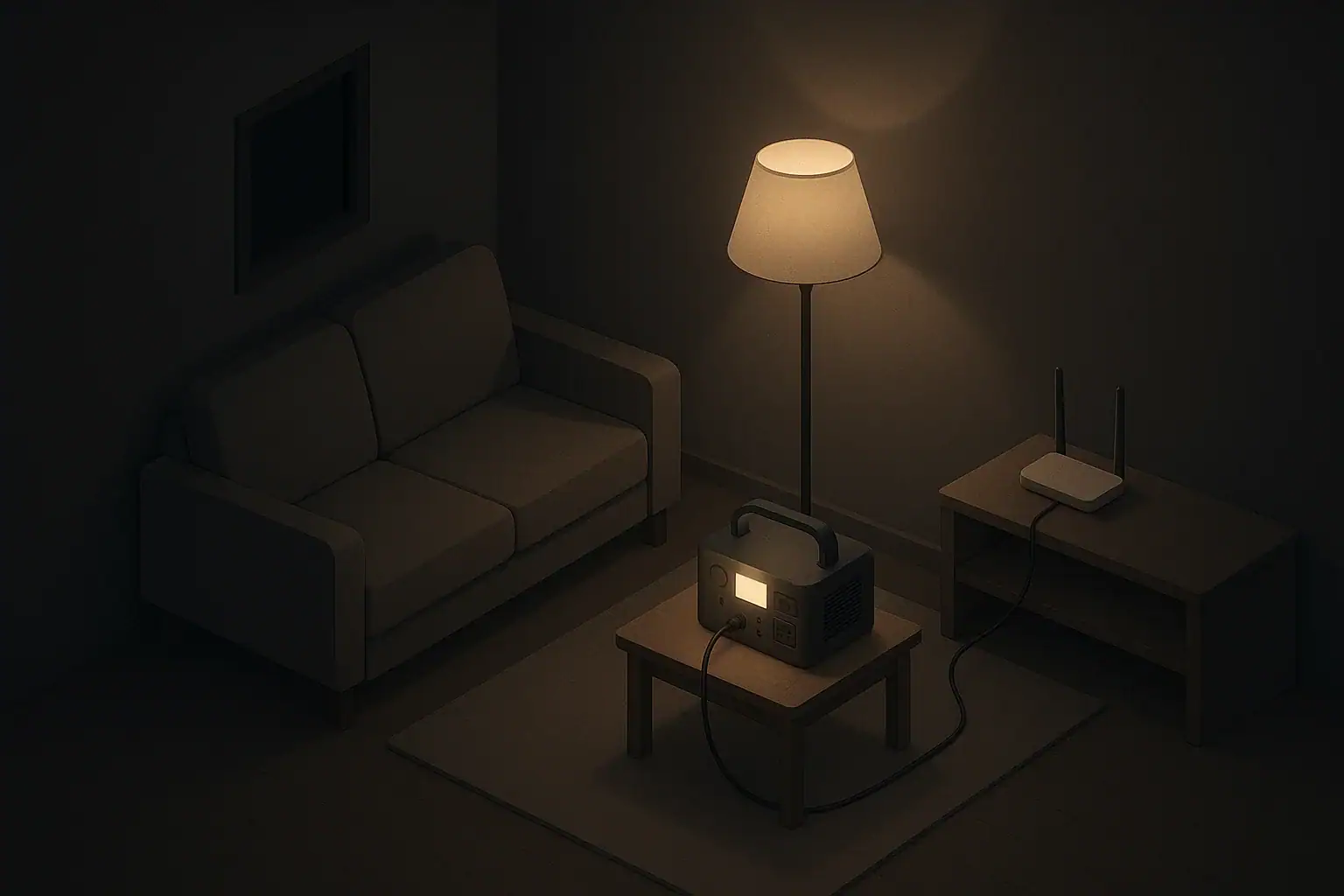
- Portable power stations: Rechargeable battery boxes with outlets and USB ports. Good for apartments, renters, and anyone who wants flexible, plug-and-play backup.
- Spare and rechargeable device batteries: Extra batteries or charging options for smart locks, battery cameras, and sensors, so you can swap when needed.
Whole-home generators are another category but are beyond the scope of this article. The focus here is on smaller, everyday-ready solutions.
Planning Backup Power for Different Homes and Households
The same outage can feel very different depending on where and how you live. Here are practical planning ideas for common situations.
Apartments and Condos
In multi-unit buildings, generators and major wiring changes are often not allowed. Focus on compact, low-noise options:
- Use a UPS or small power station for your modem, router, and alarm hub.
- Pick one or two key cameras (for example, the front door and main hallway) to connect to backup power.
- Make sure you have a physical key for your smart lock, and test it.
- Keep a flashlight or small lantern within reach of your main entrance.
In taller buildings, power may come back on in stages. Having a few hours of backup can bridge that gap without stress.
Single-Family Homes
Detached houses may have more security devices spread across entry points, driveways, and yards. To prioritize:
- Decide which cameras are most important during an outage, such as front door and backyard entries.
- Place your modem, router, and alarm hub on a single UPS or near a small power station.
- Use battery-powered motion lights outside as a supplement to wired lights.
- Check that all smart locks have either a key override or another way to open them without apps.
Homes in areas with winter storms or hurricanes may experience longer outages. In those areas, consider a power station that can be recharged from a vehicle or solar panel between storms, if safe to do so.
Renters
Renters often need portable setups they can take when they move. Helpful approaches include:
- Portable power stations that need no installation.
- Plug-in UPS units that simply sit under a desk or in a closet.
- Battery-powered cameras that you can reposition or pack quickly.
- Smart locks that use existing door hardware and still allow landlord access via a physical key, if required in your lease.
A basic setup might be a small power station dedicated to internet equipment and phone charging, plus fresh device batteries.
Households with Kids, Seniors, or Pets
When planning for security during outages, also think about ease of use and mobility:
- Show older family members how to use the door’s physical key and how to unlock the smart lock locally.
- Keep a simple printed list of backup steps by your main power station or UPS.
- Use night-lights or small battery-powered lanterns in hallways so kids can move safely if the power goes out after bedtime.
- Ensure access routes for pets (like fenced yards or litter areas) can be used without powered gates if possible.
Simple routines and clear labeling on backup outlets can prevent confusion when the lights go off.
Step-by-Step: Building a Simple Backup Plan
You can create a backup plan in a single afternoon by following a few straightforward steps.
Step 1: List Your Critical Devices
Walk through your home and note every device related to security and access:
- Smart locks (by door)
- Security cameras and video doorbells
- Alarm hub or base station
- Network gear (modem, router, switches)
- Other essentials: phones, small radio, basic lighting
Mark each device as must have or nice to have during an outage. Focus backup power on the must-have items first.
Step 2: Decide How Long You Want Coverage
Think about the outages you actually see, not extreme scenarios. Many areas experience:
- Brief flickers of a few minutes
- Short outages of 1–4 hours
- Occasional longer outages lasting overnight or a day
Choose a realistic target, such as “keep the front door lock, router, and alarm hub running for 8 hours.” This makes sizing backup options much easier.
Step 3: Match Devices to Backup Types
Use your list to pair devices with appropriate backup solutions:
- Router, modem, hub: Plug into a UPS or power station so they stay online automatically.
- Key cameras: Either connect to the same UPS or power station or rely on their internal batteries if they have them.
- Smart locks: Keep fresh internal batteries and have a plan to recharge or swap them.
- Phones: Use the remaining capacity of a power station or small USB power bank.
For many households, one small UPS near the internet equipment plus one portable power station for flexible use is enough.
Step 4: Test Your Setup During a Calm Time
Once your backup is in place, do a simple, controlled test:
- Unplug the power strip feeding your modem, router, and hub (leaving them plugged into the UPS or power station).
- Check that your phone still has Wi-Fi and that the app can talk to your smart locks and cameras.
- Note the battery level on your backup after an hour or two to estimate actual runtime.
Testing ahead of time builds confidence and reveals any gaps while you still have time to adjust.
Safety and Practical Use During Outages
Backup power for smart locks and security devices should always be used with common-sense safety practices.
Electrical and Fire Safety
- Follow the manufacturer’s instructions for any UPS or power station.
- Avoid overloading outlets or chaining multiple power strips together.
- Keep backup units in a dry, ventilated area away from heat sources.
- Use grounded outlets where required and avoid makeshift wiring.
Never run fuel-powered generators indoors or in attached garages. They pose serious safety risks that go beyond the scope of device backup.
Access and Lock Safety
- Confirm that every adult in the home knows how to lock and unlock doors manually.
- Store physical keys in a known, accessible place that still feels secure.
- Consider leaving at least one entrance with a straightforward mechanical lock for emergencies.
Smart features are helpful, but basic physical access remains the foundation of safety during an outage.
Data and Privacy During Outages
Even with backup power, some services may be offline if internet infrastructure in your area is affected. To prepare:
- Know which cameras can record to local storage when the internet is down.
- Review how your system handles missed alerts or reconnection after power restoration.
- Use strong passwords and updated firmware so your devices stay secure when they reconnect.
Outages can create unusual network conditions, so keeping your system updated and well-configured helps prevent confusion when power returns.
Keeping Backup Power Ready Over Time
A backup plan only works if the equipment is charged, batteries are fresh, and everyone remembers how to use it. Simple maintenance habits go a long way.
Regular Checks and Charging
- Set a recurring reminder every few months to check your UPS and power station charge levels.
- Top up rechargeable units according to manufacturer guidance.
- Push the test button on UPS units to make sure they still function.
Doing this at the change of seasons can align with other household routines, such as testing smoke detectors.
Replacing and Rotating Batteries
- Keep a small, labeled container for spare smart lock and sensor batteries.
- Write the purchase or installation month on battery packaging to track age.
- Rotate older batteries into non-critical devices first, like remotes, before they become unreliable.
Having even a few spare sets on hand can prevent a dead smart lock during a stormy night.
Practice Drills with Family Members
- Once or twice a year, walk through a brief “lights out” practice in the early evening.
- Show where the backup units are and which devices plug into them.
- Review how to contact each other if the internet is down.
Short, calm practice sessions help kids and adults feel prepared rather than surprised.
Example values for illustration.
| Device type | Typical power use (W, example) | Planning notes for runtime |
|---|---|---|
| Wi-Fi router | 5–15 | Often low draw; a small battery can run it for many hours |
| Internet modem | 5–20 | Plan to power with router on the same backup to keep connectivity |
| Alarm hub/base station | 5–10 | Often has its own internal battery; external backup extends that time |
| Single Wi-Fi camera | 3–8 | Backing up only key cameras can greatly extend total runtime |
| Video doorbell | 2–6 | May rely on existing doorbell wiring or internal battery |
| Phone charging | 5–15 while charging | Short, occasional charging sessions use relatively little energy |
| Small LED lamp | 3–10 | Provides light with minimal power, useful for safe movement |
Putting It All Together Calmly
Backup power for smart locks, cameras, and home security devices does not need to be complicated or costly. A short device list, a clear idea of how long you want to stay powered, and one or two modest backup tools can keep your home functional and accessible during everyday outages.
By combining physical keys, simple lighting, and well-chosen backup power, you support both security and peace of mind, whether you live in a studio apartment or a large family home.
Authoritative sources
Safety recommendations can change. Confirm critical details with current official guidance and local authorities.
- CDC: Carbon Monoxide Poisoning Basics
- U.S. CPSC: Battery Safety
- CDC: Guidelines for Cleaning Safely After a Disaster
Frequently asked questions
How long should I plan backup power for smart locks and routers during typical outages?
Plan based on the types of outages in your area; many homeowners target 4–8 hours to cover short storms and staged restorations, while areas prone to extended outages may aim for 24 hours or more. Size your backup by totaling the power draw of devices you want to keep running and dividing your battery capacity (Wh) by that draw, allowing for some efficiency loss.
Can I power a smart lock directly from a UPS or portable power station?
Most smart locks run on internal low-voltage batteries and are not designed to be powered directly from a UPS, so connecting the lock itself to an external unit is usually unnecessary. UPS units and power stations are better used to keep the router, modem, and alarm hub online; check the lock’s manual before attempting any external power method or temporary charging contacts.
Will a UPS keep my camera recordings and cloud alerts working during an outage?
A UPS that powers your modem and router can maintain internet connectivity so cameras continue uploading to cloud services and sending alerts, provided your ISP and upstream network remain online. If the internet connection is lost, battery-powered cameras may still record to local storage, but remote viewing and cloud backups will be unavailable until connectivity returns.
What is the simplest backup setup for renters to protect smart locks and key cameras?
A small portable power station or a compact UPS dedicated to the modem, router, and alarm hub paired with fresh spare batteries for smart locks and battery cameras is typically the simplest renter-friendly setup. These options require no installation, are quiet, and can be moved or taken when you relocate.
How often should I test and replace batteries for backup power for smart locks and related devices?
Check UPS and portable power station charge levels every few months and run a controlled outage test at least once a year to verify runtime and behavior. Replace smart lock and sensor batteries according to device guidance or when low-battery alerts appear—many households replace them every 1–2 years or keep labeled spares on hand.
- Simple checklists and realistic planning
- Water, power, lighting, and pantry basics
- Family plans (kids, pets, seniors) and seasonal prep
Affiliate disclosure
As an Amazon Associate, we earn from qualifying purchases. Some links on this site may be affiliate links. If you buy through these links, we may earn a small commission at no extra cost to you. This helps support our content. Learn more.