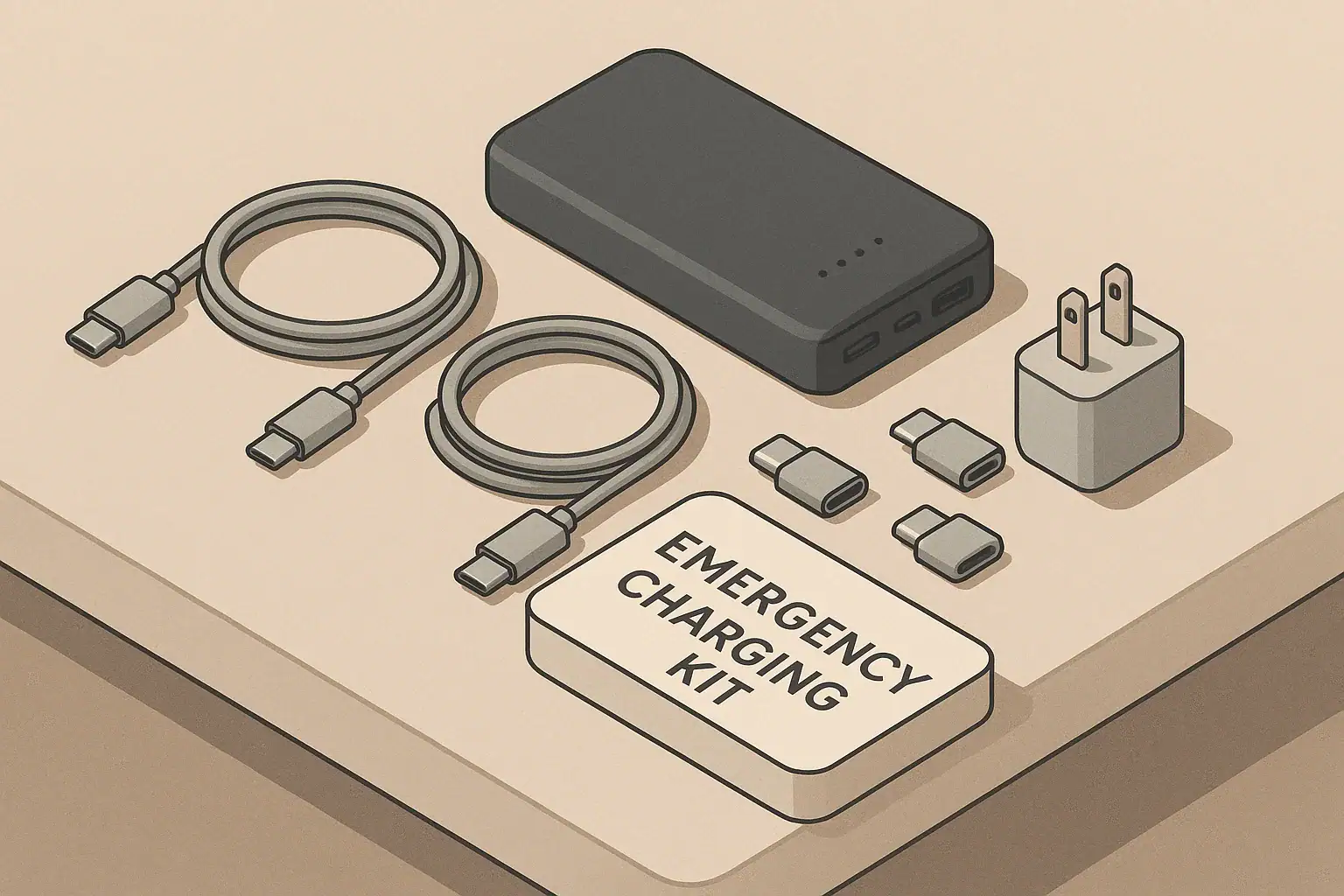
Why a USB-C emergency charging kit matters
Most modern phones, tablets, and small devices can charge from USB-C. A small, organized USB-C emergency charging kit makes it much easier to keep communication, light, and basic information tools running during short power outages or while traveling.
The goal is simple: one pouch that lets you safely charge your essential devices from whatever power you still have, whether that is a wall outlet, car, power bank, or a shared charger.
This guide walks you through what to include, how to label it, and how to keep it ready without spending much or adding clutter.
Decide which devices you must keep powered
Before buying cables or adapters, list the devices you truly need in a short disruption (hours to a couple of days):
- Primary phone(s)
- Basic backup phone, if you keep one
- Small light that can charge by USB (if you use one)
- Portable radio, hotspot, or small router that charges by USB
- Hearing aid charger or other medically important device that uses USB (check with your clinician for what is essential and safe)
For each item, note:
- Charging port type (USB-C, Micro-USB, Lightning, or a barrel plug)
- Charging cable it came with
- Any special power needs listed in the manual or on the device label
Keep this list with your kit so you can quickly see what matters most when power is limited.
Core pieces of a USB-C emergency kit
You do not need a large collection. Focus on a few reliable, flexible items:
- At least one USB-C to USB-C cable for modern phones and tablets.
- One USB-A to USB-C cable for older chargers, cars, and power banks that still use USB-A ports.
- One or two short adapter pigtails (for example, USB-C to Micro-USB, or USB-C to Lightning) if you still rely on older devices.
- One small, labeled power bank that clearly shows its capacity and ports.
- One compact wall charger with at least one USB-C port, if possible.
- One car charger that fits your vehicle’s 12V outlet, if you drive.
Use cables that feel sturdy, with strain relief at the ends. Very thin or damaged cables are more likely to fail when you need them.
Choosing cables that work well in emergencies
When you choose cables for a readiness kit, look for:
- Moderate length: about 3–6 feet is usually enough to reach from a power bank or outlet to a safe resting place for your phone without becoming a tripping hazard.
- Visible color: brighter or lighter colors are easier to see in low light and less likely to be left behind.
- Firm connectors: plugs should fit snugly without wobbling. Avoid any cable that feels loose or overheats in normal use.
If you use a laptop that charges by USB-C, keep its original cable with the laptop. For emergency use, you can add one extra USB-C cable in your kit that is rated for the higher power your laptop needs, according to the laptop manufacturer’s instructions.
Useful adapters without overcomplicating things
Adapters help you charge older or mixed devices from a single USB-C setup, but too many pieces can become confusing. Start with only what you truly need:
- USB-C to Micro-USB adapter if you still use older flashlights, radios, or accessories.
- USB-C to Lightning adapter or cable if you use older phones or tablets with Lightning ports.
- USB-A to USB-C adapter if you have older USB-A chargers or power banks but mostly USB-C cables.
Store adapters on short key rings or small carabiners inside the kit so they do not get lost. Avoid stacking multiple adapters together (for example, USB-A to USB-C to Micro-USB in a chain). Long adapter chains are more likely to fail, disconnect, or stress the ports.
Power sources: wall, car, and power bank
During a short outage, you may still have access to some power sources:
- Wall outlets when power is on but you want a ready-to-grab kit.
- Vehicle 12V outlet if you can safely run or briefly start your car.
- Power bank that you keep charged for times when no outlet is available.
Choose a power bank that:
- Has at least one USB-C port.
- Clearly shows its capacity (for example, on the label).
- Includes basic instructions for safe use and storage.
Follow the manufacturer’s instructions for charging and storing any power bank or charger. If a device becomes hot, smells unusual, swells, or is damaged, stop using it and contact the manufacturer or a qualified technician. For general guidance on battery and charger safety, you can review the battery and charger safety information from the U.S. Consumer Product Safety Commission.
Labeling devices, cables, and priorities
Clear labels help you and other household members use the kit correctly, even if you are stressed or in the dark.
Label your devices
Use small stickers or masking tape and a pen to mark:
- Port type (for example, “USB-C” or “Micro-USB”) near the charging port.
- Priority (for example, “High priority: phone” or “Low priority: speaker”).
On devices that are medically important, add a clear note such as “Check with doctor before changing power setup” and keep any written medical instructions with your emergency documents.
Label your cables and adapters
Simple labels can prevent mistakes:
- Wrap a small piece of tape near each end of the cable and write what it is for (for example, “USB-C phone,” “Radio adapter”).
- Use different tape colors for different types (for example, blue for USB-C, yellow for adapters).
- Bundle each cable with a reusable tie so the kit stays neat.
Label the kit itself
On the outside of the pouch or box, write:
- “USB-C emergency charging kit”
- Which family member’s phone it fits, if relevant
- The month and year you last checked it
Where to store your kit and how to maintain it
Keep the kit where you can reach it quickly in the dark, such as:
- Near your main entryway
- In a go-bag or backpack you would take if you had to leave quickly
- In a known drawer near your main gathering area
To keep it ready:
- Check the power bank every 3–6 months and recharge it according to the manufacturer’s instructions.
- Test each cable and adapter on your devices during normal life so you know they work.
- Update labels when you replace phones or other devices.
- Replace damaged items right away; do not keep frayed or bent cables in the kit.
For broader household power-outage planning, including how to prioritize device use and when to rely on text messages instead of calls, you can review the power outage guidance from Ready.gov.
Simple packing checklist
Use this as a quick reference when building or checking your USB-C emergency charging kit:
- [ ] 1–2 USB-C to USB-C cables
- [ ] 1 USB-A to USB-C cable
- [ ] Needed adapters (USB-C to Micro-USB, USB-C to Lightning, etc.)
- [ ] Small power bank with USB-C port
- [ ] Compact wall charger with at least one USB-C port
- [ ] Car charger (if you use a vehicle)
- [ ] Labels on devices, cables, and kit
- [ ] Short written list of priority devices
Frequently asked questions
How big should my power bank be for emergencies?
There is no single right size. A modest-capacity power bank can usually recharge a typical smartphone at least once, sometimes more, depending on the model and how you use it. Choose a size that fits your budget and is light enough that you will actually carry it if you need to leave home. Check the manufacturer’s instructions for expected performance and safe use.
Is it safe to charge multiple devices at once from one charger?
Many wall chargers and power banks are designed to charge more than one device at a time. Use them only as described in the manufacturer’s instructions and do not exceed the number of ports or power limits they list. If the charger or power bank becomes unusually hot, disconnect devices and let it cool. When in doubt, charge one high-priority device at a time.
Can I use my laptop’s USB-C charger to charge my phone?
Many phones can safely charge from a laptop’s USB-C charger, but you should confirm in both the phone and charger manuals. Use a cable that is recommended for both devices. If either device becomes hot or behaves unexpectedly, disconnect and use a different charger.
What should I do if a cable or power bank is damaged?
If you see fraying, exposed wires, swelling, cracks, or smell something unusual, stop using the item immediately. Follow the manufacturer’s guidance for disposal and replacement. For general safety tips about damaged batteries and chargers, you can review the battery and charger safety guidance from the U.S. Consumer Product Safety Commission. When in doubt, replace the item rather than risk overheating or fire.
- Simple checklists and realistic planning
- Water, power, lighting, and pantry basics
- Family plans (kids, pets, seniors) and seasonal prep
Affiliate disclosure
As an Amazon Associate, we earn from qualifying purchases. Some links on this site may be affiliate links. If you buy through these links, we may earn a small commission at no extra cost to you. This helps support our content. Learn more.