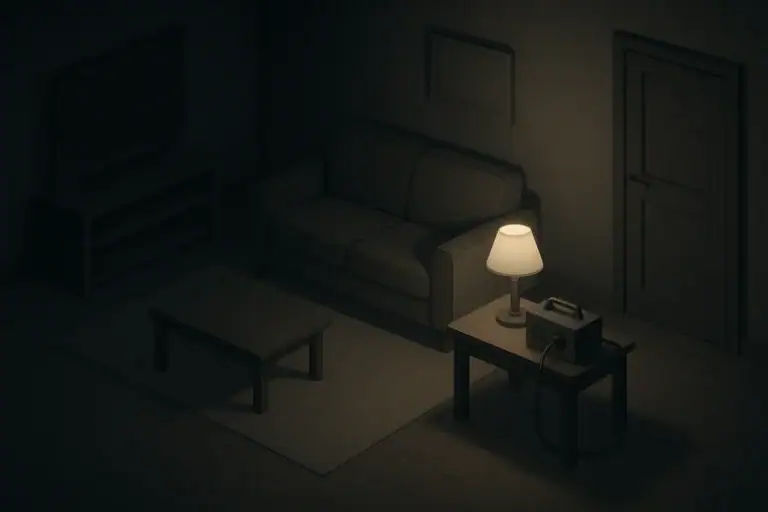
Why Runtime Estimates Matter for Everyday Outages
Knowing how long your devices can run during a power outage helps you stay comfortable and safe without needing a full-scale generator setup. Instead of guessing, you can make calm, informed choices about what to plug in, what to charge first, and what to turn off.
Realistic planning is especially important if you:
- Live in an apartment or rental where large generators are not practical
- Have kids, pets, or older adults who rely on fans, lights, or basic medical-support devices (after you confirm needs with a professional)
- Experience seasonal outages from winter storms, hurricanes, or heatwaves
Estimating runtime is mostly about three things:
- How much power your device uses (watts)
- How big your battery or backup power source is (watt-hours)
- How many devices you run at the same time
Once you understand the basic math, you can plan for blackouts without overbuying gear or being caught off guard when batteries drain faster than expected.
Step 1: Find or Estimate Your Device Power Use
To estimate runtime, you first need to know how much power each device uses. This is usually described in watts (W) or sometimes in volts (V) and amps (A).
Where to Look for Power Information
You can usually find power information in these places:
- On a label or sticker on the device, plug, or power brick
- In the user manual
- On the manufacturer’s website, if you have the exact model number
If you see volts and amps instead of watts, use this simple formula:
Watts (W) ≈ Volts (V) × Amps (A)
This gives you an approximate power draw when the device is running.
Understanding Continuous vs Maximum Ratings
Device labels often show a maximum power rating, which is the highest power the device is expected to use. The actual power draw during everyday use may be lower. For runtime planning during outages, it is safer to use the higher number if you are unsure, so you do not overestimate how long your battery will last.
Some devices have two types of power use:
- Idle or standby: Very low use when the device is on but not actively working hard.
- Active: Higher use when the device is doing more work, like a fan on high speed or a laptop under heavy load.
For backup planning, try to base your estimates on a realistic mode, such as a fan on low or medium, or a laptop doing light tasks.
Typical Power Ranges for Common Devices (Examples)
These are broad, example ranges to help you think about your own devices. Always check your actual device if you can.
- LED lamp: commonly in the range of about 5–12 W
- Small USB fan: often around 2–10 W
- Larger portable fan: can range from about 20–60 W depending on speed
- Phone charging: often around 5–15 W while charging
- Tablet charging: may be around 10–25 W
- Laptop in light use: often around 30–60 W
- Compact fridge or cooler: can vary widely; may use tens to a couple hundred watts when running
Use these only as rough examples. Your actual devices may use more or less, which will change your runtime estimates.
Example values for illustration.
| Task | Why it matters | Notes to record |
|---|---|---|
| List critical devices | Focus on comfort and safety first | Lights, fan, phone, basic medical-support items as advised |
| Locate device labels | Find watts or volts and amps | Check back, bottom, or power brick |
| Convert V × A to watts | Standard unit for runtime math | Multiply volts by amps and round up |
| Note typical use mode | Avoid overestimating runtime | Low, medium, or high speed; light or heavy use |
| Mark “must-have” vs “nice-to-have” | Helps prioritize when power is limited | Use different symbols or colors in your list |
| Store list with your kit | Speeds up decisions during outages | Keep a printed copy near your backup power source |
Step 2: Understand Your Battery or Backup Power Size
Once you know how many watts your devices use, you need to understand the size of the power source that will run them. Backup power systems typically describe capacity in watt-hours (Wh) or, less helpfully for planning, in milliamp-hours (mAh).
Watt-Hours: The Key Number for Runtime
Watt-hours (Wh) describe how much energy a battery can store. If you know the watt-hours, you can estimate how long a device can run:
Estimated runtime (hours) ≈ Battery capacity (Wh) ÷ Device power (W)
For example, if you have a battery labeled as about 300 Wh and a small fan that uses around 30 W:
300 Wh ÷ 30 W ≈ 10 hours of ideal runtime.
In real life, you would want to reduce that estimate a bit to account for inefficiencies and any other devices sharing the battery.
Converting from Milliamp-Hours (mAh)
Smaller power banks are often labeled in milliamp-hours. You can estimate watt-hours like this:
Watt-hours (Wh) ≈ (mAh ÷ 1000) × Battery voltage (V)
Many small USB power banks use about 3.7 V internally, but they may output 5 V. Using 3.7 V is a common rough estimate when the voltage is not printed clearly.
Once you have a rough watt-hour value, you can use the same runtime formula.
Real-World Losses and Safety Margin
No system is perfectly efficient. Converting battery power from one form to another (like from DC to AC) and using inverters or adapters all reduce the real runtime. To avoid disappointment, it is helpful to:
- Subtract a safety margin (for example, only assume about 70–80% of the labeled watt-hours are usable for planning)
- Limit how low you drain certain batteries if you want them to last longer over time, following manufacturer guidance
These steps help you avoid planning based on the absolute maximum possible runtime, which you are unlikely to get in daily use.
Step 3: Do the Basic Runtime Math
Now you can combine device power use with battery size to get a workable estimate. This does not have to be exact to be helpful. Even a rough calculation gives you much better guidance than guessing.
Single Device Runtime
Use this formula for one device:
Runtime (hours) ≈ (Battery capacity in Wh × Realistic efficiency) ÷ Device watts
For the efficiency factor, many people use a rough value such as 0.7–0.8 (70–80%) to account for losses. For example, assume a 200 Wh battery, using 75% of that (0.75) for planning:
- Effective capacity for planning: 200 Wh × 0.75 ≈ 150 Wh
- If your LED lamp uses about 10 W: 150 Wh ÷ 10 W ≈ 15 hours
This tells you that running only that lamp is likely to be possible for many hours, even though real results may be somewhat lower or higher.
Multiple Devices at Once
If you are powering several devices from the same battery or power station, add their watts together first:
Total watts ≈ Device 1 W + Device 2 W + Device 3 W + …
Then use the same formula with the total watts:
Runtime (hours) ≈ (Battery capacity in Wh × Efficiency) ÷ Total watts
For example, assume:
- Battery: 300 Wh
- Efficiency factor: 0.75 → effective planning capacity: 225 Wh
- LED lamp: 8 W
- Small fan: 25 W
- Phone charging: 10 W
Total watts ≈ 8 + 25 + 10 = 43 W
Estimated runtime ≈ 225 Wh ÷ 43 W ≈ a little over 5 hours.
If you decide to charge phones first and then turn off the fan for a while, you can stretch that runtime for lighting and cooling over a longer period.
Planning in Blocks Instead of Exact Hours
Instead of focusing on exact hours, it can be easier to think in blocks of time, for example:
- Can I keep a fan and light on for the evening (4–6 hours)?
- Can I recharge phones and a tablet once per day?
- Can I keep a small device running overnight on a low setting?
Rounding your estimates up or down a bit makes the math simpler and often matches how you naturally use devices during outages.
Step 4: Prioritize Comfort and Safety Devices
During a short-term outage, you usually will not power your whole home. Instead, you choose your most important devices and plan around them. This is especially important in small spaces, apartments, and homes with children, pets, or older adults.
Create a Simple Priority List
You can group devices into three simple categories:
- Must-have: Items that strongly affect safety, basic comfort, or being able to call for help (for example, lighting, phone charging, certain medically important devices after professional advice).
- Nice-to-have: Items that improve comfort but are not strictly necessary (for example, a second fan, small entertainment devices).
- Postpone or skip: Higher-draw devices you might use only briefly, if at all, to avoid draining your battery (for example, some kitchen appliances).
Estimate runtime for the must-have items first. Once you know how much battery they will use, you can decide how much power is left for nice-to-have devices.
Think in Outage Scenarios
Different situations call for different plans. Consider these common scenarios and how you might prioritize:
- Winter storm in a house: Focus on lighting, phone charging, and possibly a low-draw fan to move warm air from a safe heat source if you have one.
- Summer heatwave in an apartment: Focus on one or two small fans, hydration supplies, and phone charging. Curtains or blinds can help reduce heat without using power.
- Hurricane-related outage: Focus on communications, battery-powered lighting, and a simple way to keep food safe as long as possible; limit how often you open the fridge.
By matching your device choices to the situation, you can stretch your available power and reduce stress during an outage.
Step 5: Adjust for Solar Charging and Recharging
If you have a way to recharge your battery during an outage, such as a solar panel or occasional access to a car outlet or shared power source, your planning changes from “one battery until it dies” to “battery cycles per day.”
Estimate Daily Energy Budget
Instead of estimating just total runtime, you can estimate how much energy you can use per day. Think in terms of:
- Battery capacity in watt-hours
- How many times you can recharge it reasonably in one day
- Typical solar conditions in your area, if using panels (cloudy vs sunny days)
For example, if your battery is about 300 Wh and you expect you can reasonably recharge about half of that on a typical day with your setup, you might plan on using roughly 150 Wh per day after the first full discharge. This would roughly support a combination of lighting, phone charging, and some fan use if you manage the loads carefully.
Time-of-Day Strategies
If you are using solar, it can help to schedule heavier usage around the time when your panels are producing the most power, if that is safe and practical. For many households, this means:
- Using fans or small appliances more during mid-day while panels are producing
- Saving most of the stored energy for evening and overnight lighting and phone charging
This approach treats your battery like a buffer: you bring in energy during the day and use it more gradually when the sun is down.
Example values for illustration.
| Device type | Typical watts range (example) | Planning notes |
|---|---|---|
| LED light | About 5–12 W | High priority; low power draw for many hours of light |
| USB fan | About 2–10 W | Good for apartments and bedrooms in heatwaves |
| Table or box fan | About 20–60 W | Use on low or medium to conserve power |
| Phone charging | About 5–15 W while charging | Top off during the day; unplug when full |
| Tablet or e-reader | About 10–25 W while charging | Charge during sun hours if using solar |
| Laptop (light use) | About 30–60 W | Use for limited work or school tasks, then power down |
| Compact fridge or cooler | Roughly tens to a couple hundred W when running | Plan short run cycles and keep door closed to save energy |
Putting It All Together: A Simple Home Runtime Plan
Turning numbers into a practical plan is easier if you write things down. You do not need special tools; a notebook or printed worksheet works well.
Build a One-Page Runtime Snapshot
On a single page, try listing:
- Your main battery or backup power source with its watt-hour estimate and your chosen efficiency factor
- Your top 5–8 devices, with their approximate watt values and priority level
- Estimated runtime for each must-have device alone
- One or two common “bundles,” such as “evening use: 1 light + 1 fan + phone charging” with a rough runtime
Keep this page near your backup power setup. During an outage, you can glance at it and quickly decide what to turn on or off without doing math on the spot.
Test Your Estimates During Calm Times
If possible, test your plan during a normal day or evening when there is no actual emergency. For example:
- Run a fan and lamp for a few hours and note how much battery percentage drops
- Time how long it takes to charge phones or tablets from the backup source
- Try a “practice blackout evening” where you only use the devices from your plan
These low-pressure tests help you fine-tune your estimates and gain confidence. You may discover that you can power more than you expected, or that you want to scale back a little for longer outages.
Update as Your Home Changes
Outage planning is not a one-time task. Over time, you might:
- Replace older bulbs with more efficient LED lights
- Add or change devices such as fans, tablets, or small appliances
- Move from one home type to another, such as apartment to house, or vice versa
Whenever you make a change that affects your most-used devices or your backup power system, take a moment to update your runtime sheet. Keeping it current means that when the lights go out, you already know your options.
By understanding watts, watt-hours, and a few simple formulas, you can estimate runtime for your devices without guessing. That preparation allows you to focus on the people in your home, instead of worrying about when the battery will run out.
Frequently asked questions
How do I calculate runtime when powering multiple devices from the same battery?
Add the watts of every device you plan to run to get total watts, then use: Runtime ≈ (Battery Wh × efficiency) ÷ Total watts. Use a conservative efficiency factor (commonly 0.7–0.8) to account for conversion and inverter losses, and remember that startup surges on some devices do not change the average running watts for this calculation.
How can I convert a power bank rated in mAh to watt-hours for runtime estimates?
Use the formula Wh ≈ (mAh ÷ 1000) × battery voltage (V). If the internal voltage is unknown, 3.7 V is a common approximation for lithium cells; then subtract some capacity to allow for conversion losses and inefficiency when using the bank to power devices.
What efficiency factor should I use when I estimate device runtime?
A typical planning range is 70–80% (0.7–0.8) of the labeled watt-hours to allow for inverter losses, cable losses, and device inefficiencies. Use the lower end (around 0.7) for conservative planning or when converting DC to AC, and you can use a slightly higher value for direct DC loads with minimal conversion.
Can I run a refrigerator or compact fridge from a portable battery, and how should I estimate runtime?
Yes, but account for a high startup surge and the fridge’s duty cycle: estimate using the average running watts (not the startup surge) and then divide your usable Wh by that average. Also ensure the inverter can handle the startup current, plan short run cycles, and keep the door closed to reduce runtime demand.
How does adding solar charging change the way I estimate device runtime?
With solar you should plan a daily energy budget instead of a single runtime: estimate how much Wh you can harvest or recharge per day, then allocate that energy across your devices. Schedule heavier loads during peak solar production and reserve stored energy for evening or critical needs to make the most of intermittent generation.
Recommended next:
- Blackout Plan (Apartment / House): Step-by-Step Checklist for the First 24 Hours
- Blackout Plan for Apartments: What to Do When the Power Goes Out
- Blackout Plan for Houses: What to Do When the Power Goes Out
- Backup Power Basics: Watts vs Watt-Hours and Why It Matters
- Load Priorities: What to Power First in an Outage
- Phone Charging Strategy During Outages: Save Power and Charge Smarter
- More in Blackouts & Backup Power →
- Simple checklists and realistic planning
- Water, power, lighting, and pantry basics
- Family plans (kids, pets, seniors) and seasonal prep

Backup Power Costs Explained: One-Time Gear vs Ongoing Fuel and Batteries
Backup Power Maintenance: Monthly Checks and Seasonal Prep

Lighting Strategy for Outages: Zone Your Home for Safety and Comfort
Sump Pump Backup Options: Planning for Basement Flood Risk
Water and Power: What Stops Working in Most Homes During Outages

Can You Run a Microwave, Kettle, or Space Heater on Backup Power? Reality Check