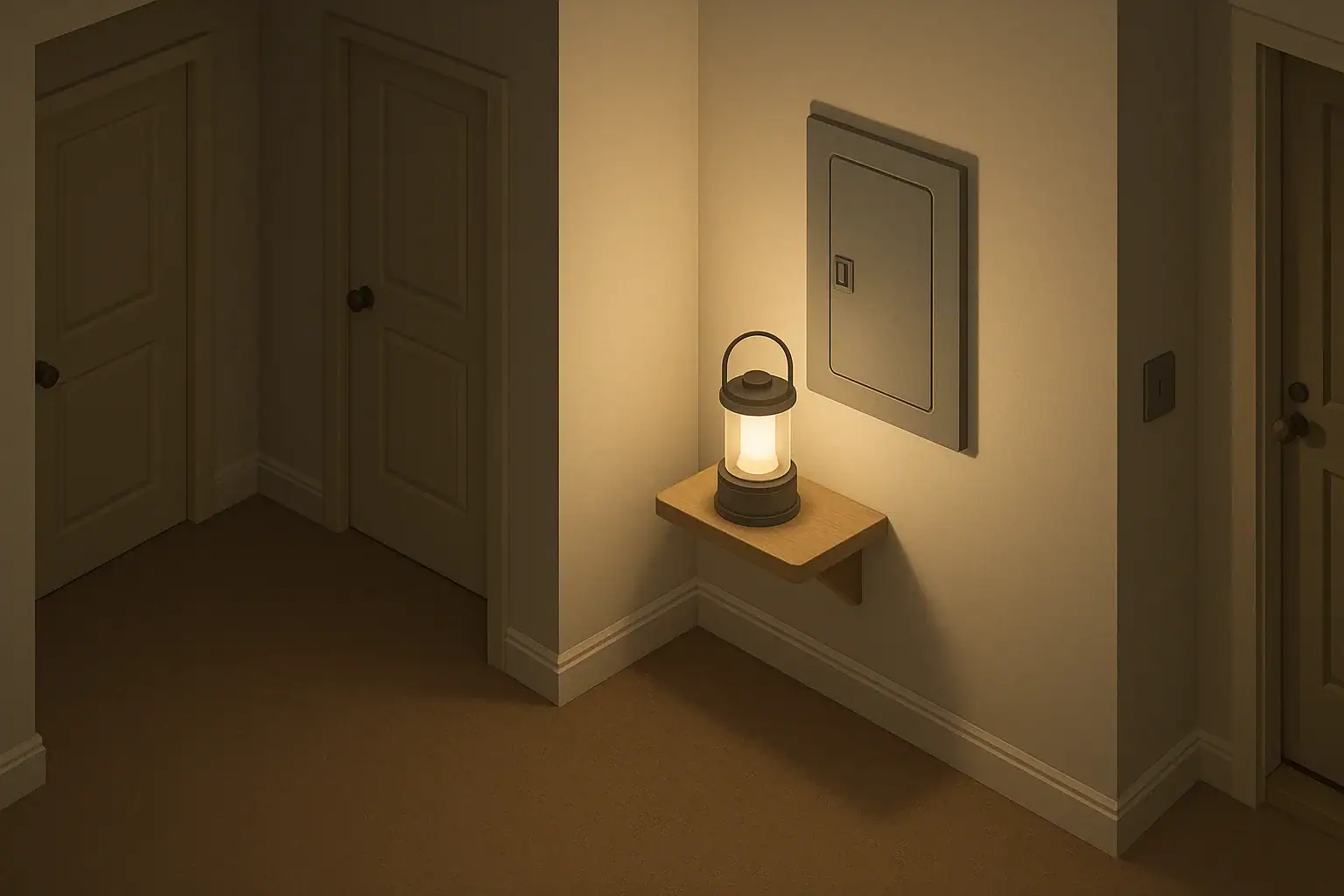
Why use a blackout light near your electrical panel?
When the power goes out, the area around your electrical panel is often one of the darkest spots in the home. A dedicated blackout light nearby makes it much easier to:
- Walk safely to the panel without tripping.
- Read breaker labels and identify the tripped breaker.
- Reset a breaker without holding a flashlight in your mouth or hand.
The safest approach is to light the area around the panel, not the inside of the panel itself, and to avoid attaching anything to the panel cover that is not specifically designed and listed for that use.
Safety basics before you add any light
Working around an electrical panel is not the same as working with a regular light switch. There is always live power inside the panel, even during an outage, because the service conductors ahead of the main breaker are energized.
Keep these basics in mind:
- Do not open the panel cover unless you are qualified and it is necessary. Resetting breakers is normally done with the cover closed.
- Never reach tools or metal objects inside the panel. That work belongs to a licensed electrician.
- Keep the area clear of storage, flammable materials, and clutter so you can reach the panel quickly and safely.
- Follow local codes and your utility’s rules for access and clearance around the panel.
For general home electrical safety, the U.S. Consumer Product Safety Commission offers guidance on home electrical systems and panels.
Best types of blackout lights for breaker panels
The goal is simple: reliable light near the panel that does not depend on your home’s power and does not create a shock or fire hazard.
1. Battery lantern or work light on a nearby surface
This is one of the safest and most flexible options.
- Place a stable battery lantern or compact work light on a shelf, hook, or wall bracket near the panel, not on the panel itself.
- Choose a model that can stand on its own or hang securely so it cannot roll or fall against the panel.
- Store spare batteries nearby in a dry, labeled container.
2. Motion-activated or dusk-activated battery light
Small battery-powered lights with motion or light sensors can automatically turn on when you walk up or when the room goes dark.
- Mount them to the wall or ceiling within a few feet of the panel.
- Aim the light so it illuminates the panel door and surrounding floor.
- Test the sensor from the hallway or approach path so it turns on before you reach the panel.
3. Plug-in emergency light in the same area
Some plug-in lights charge from an outlet and automatically turn on when power fails.
- Use a nearby outlet on the same floor as the panel, if available.
- Confirm that the light will still turn on even if the circuit feeding that outlet is the one that trips. Many models do, but you should test yours.
- Keep the outlet and device accessible, not hidden behind storage.
4. Headlamp or handheld flashlight as backup
Even with a fixed light, keep a small flashlight or headlamp in a known spot near the panel or along your route to it.
- Store it where you can reach it in the dark without moving heavy items.
- Check batteries a few times a year, such as when clocks change.
Where to place a blackout light around the panel
Good placement matters as much as the type of light you choose.
- Keep clear working space. Most codes require clear floor space in front of the panel so you can stand and work safely. Do not place furniture, boxes, or permanent fixtures in that space.
- Mount on nearby walls or ceiling. A wall or ceiling mount a few feet away can light the panel and the floor without blocking the door.
- Avoid attaching to the panel door. Unless a light is specifically designed and listed to mount on an electrical panel, treat the panel cover as off-limits for stick-on or magnetic devices.
- Keep cords away from the panel. If you use a corded emergency light (plug-in type), route the cord so it does not drape across the panel or create a trip hazard.
If you are unsure about clearances or mounting locations, a licensed electrician familiar with your local code can advise you.
Step-by-step: setting up a safe panel blackout light
- Clear the area. Remove stored items, flammable materials, and anything blocking the panel door or floor space.
- Choose your primary light. For most homes, a battery lantern or motion-activated wall light near the panel works well.
- Decide on mounting or placement.
- For a lantern, identify a stable shelf or bracket.
- For a wall light, follow the manufacturer’s mounting instructions and use appropriate anchors.
- Install according to the instructions. Do not modify the light or its power source. Use only the batteries or charger type the manufacturer specifies.
- Label the light’s purpose. A small label like “Panel light – do not move” can remind household members to leave it in place.
- Add a backup flashlight. Place a flashlight or headlamp in a visible spot near the panel or along your route to it.
- Test in the dark. Turn off the room lights at night and walk your normal route to the panel to confirm you can see the floor, panel door, and breaker labels.
- Schedule battery checks. Put a reminder on your calendar (for example, every 6 months) to test and replace batteries as needed.
Using the light safely during an outage
When the power goes out and you need to check breakers, a calm, simple routine helps.
- Turn on or activate your blackout light. If it is motion-activated or automatic, confirm it is bright enough. Use your backup flashlight if needed.
- Look for obvious hazards first. Before touching the panel, check for signs of fire, smoke, water leaks, or burning smells. If you see or smell anything concerning, leave the panel closed, move to a safe location, and call emergency services.
- Stand on a dry surface. Do not stand in water or on a wet floor while touching the panel.
- Open the panel door carefully. Only if there are no signs of damage. Do not touch any internal parts; use only the breaker handles.
- Reset breakers cautiously. If you are comfortable doing so, reset a tripped breaker once. If it trips again immediately, leave it off and contact a licensed electrician.
- Close the panel door. When finished, close the door fully to protect the breakers.
The U.S. Fire Administration and FEMA provide general guidance on electrical fire safety in the home, which is useful to review as part of your overall readiness.
Planning for family use and accessibility
Your blackout light setup should work for everyone in the household, not just the person who installed it.
- Show family members where the panel is. Walk them through the route and how to use the blackout light and backup flashlight.
- Label key breakers. Clearly labeling main circuits (kitchen, furnace, medical equipment) makes it easier to check the right breakers quickly.
- Consider mobility and vision needs. If someone has limited mobility or low vision, place lights and flashlights where they can reach them easily, and consider brighter, wide-beam lights.
- Assign roles. Decide in advance who will normally check the panel during an outage and who will stay with children, older adults, or pets.
For broader household preparedness, Ready.gov’s power outage guidance offers checklists and planning tips.
When to call a professional instead of relying on a light
A blackout light helps you see the panel; it does not make electrical work safer if you are not trained. Stop and call a licensed electrician or emergency services if:
- You see scorch marks, melted plastic, or signs of overheating on or around the panel.
- You hear buzzing, crackling, or popping from the panel.
- You smell burning or hot electrical odors.
- Breakers trip repeatedly or will not reset.
- There is water intrusion near the panel from leaks, flooding, or firefighting.
- You are unsure what to do next.
In any situation that seems unsafe, your priority is to move people to a safe area and contact local emergency services or your utility, following their instructions.
Frequently asked questions
Can I stick a battery light directly onto the electrical panel door?
It is safer to avoid attaching anything to the panel door unless the product is specifically designed and listed for that use. Stick-on or magnetic lights can fall off, interfere with the door, or be damaged by heat or vibration. Mount lights on nearby walls or ceilings instead.
Is it safe to use a candle or open flame to see the breaker panel?
No. Open flames near an electrical panel, wiring, or stored items create a fire risk and can be knocked over in a cramped space. Use battery-powered lights or plug-in emergency lights instead of candles, oil lamps, or fuel lanterns near the panel.
How bright should a blackout light near the panel be?
It should be bright enough to clearly see breaker labels and the floor in front of the panel without straining your eyes. Many small LED lanterns and utility lights provide more than enough light. Test your setup in a completely dark room to confirm you can read labels comfortably.
How often should I check the batteries in my panel blackout light?
A practical approach is to test and replace batteries on a regular schedule, such as every 6 months, or according to the manufacturer’s instructions. Also test the light briefly during seasonal checks or when you test smoke alarms so you know it still works before an outage happens.
- Simple checklists and realistic planning
- Water, power, lighting, and pantry basics
- Family plans (kids, pets, seniors) and seasonal prep
Affiliate disclosure
As an Amazon Associate, we earn from qualifying purchases. Some links on this site may be affiliate links. If you buy through these links, we may earn a small commission at no extra cost to you. This helps support our content. Learn more.